6 Best Snappa Alternatives for High-Speed Graphic Design (2026 Review)
We tested the top 6 Snappa alternatives for 2026 to see which actually saves you time. From Adobe Express to Visme, discover the pros, cons, and hidden dealbreakers for every budget.
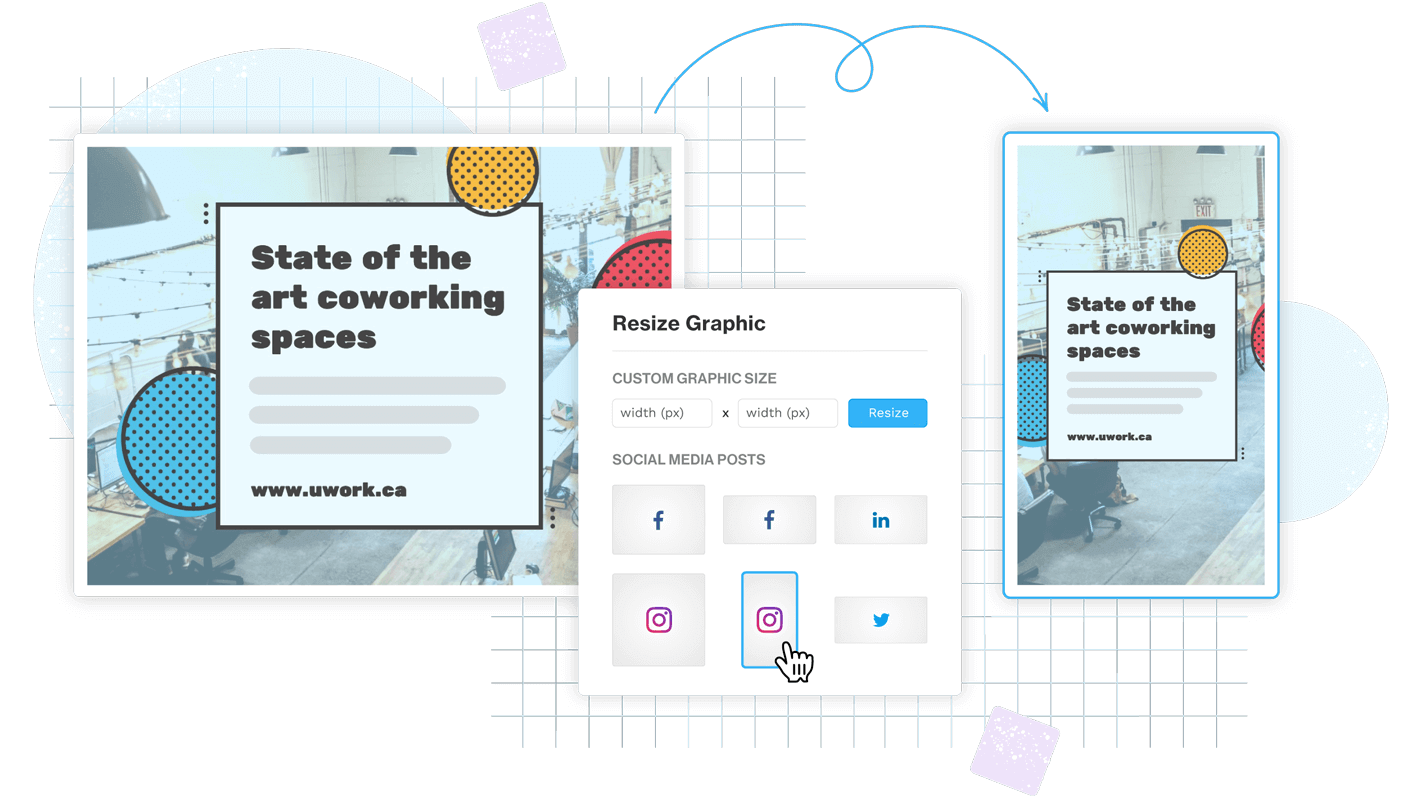


You want clean, scroll stopping graphics. Fast. Without feeling like you need a design degree or 45 minutes of YouTube tutorials just to change a font.
That’s basically why people search for Snappa alternatives in 2026.
Snappa is still a solid cloud based tool built around templates, HD photos and graphics, and a drag and drop editor. It’s been around since 2015 (founded by Marc Chouinard and Christopher Gimmer in Ottawa), and it’s helped users create a ridiculous amount of content. Over 25 million images, last I checked.
But tools change. Teams change. Your needs change.
So in this review, I’m comparing the best Snappa alternatives based on the stuff that actually matters when you’re trying to ship designs quickly:
- speed and “no friction” editing
- template quality
- image editor features
- export formats and quality
- social media workflow and integrations (Facebook, Instagram, Twitter/X, Pinterest, plus scheduling through Buffer style tools)
Common reasons people switch, too. Free plan limits. Pricing. Team workflows. Needing more advanced editing (the “ugh I need Photoshop” moment). Brand controls. Or honestly just wanting better templates and fewer annoying constraints.
I’ll keep it practical. You should be able to pick your tool in like five minutes.
Quick context: why people look for Snappa alternatives in 2026
The whole promise of Snappa style tools is simple: pick a template, change the text, drop in your photo, export, post.
If you’re not a designer, that’s the dream. You want high speed graphics without the learning curve.
But in 2026, the bar got higher. People expect:
- better brand kits (logos, colors, fonts, locked elements)
- faster resizing across formats
- collaboration that doesn’t feel like emailing PNGs back and forth
- AI assisted features (background removal, magic resize, quick layout suggestions)
- smoother social publishing, or at least clean handoff to Buffer or similar
And yeah, pricing always sneaks in. The free plan is fine until it isn’t.
A fast review of Snappa: what it does well (and where it can feel limiting)
Snappa’s core workflow is still one of the simplest:
choose a template → drag and drop edits → export → optionally share or schedule
It’s built for speed. And it shows.
What Snappa does really well
- User friendly UI. It’s clean, minimal, doesn’t overwhelm you with panels.
- Quick resizing. It’s easy to jump between common social sizes.
- Built in stock assets. Snappa includes a huge library of HD photos and graphics (they’ve historically connected a lot of their free stock vibe with StockSnap.io).
- Simple onboarding. That onboarding video experience is genuinely good. You don’t feel lost.
Where Snappa can feel limiting
Not in a dramatic way. More like, you hit a ceiling.
- Advanced editing is constrained compared to Photoshop or even some browser editors. If you need real compositing, detailed retouching, or precision typography, Snappa is not trying to be that.
- Brand management depth can feel light if you’re running multiple brands or need strict control.
- Collaboration features are fine for small setups, but larger team workflows start to feel clunky.
- Free plan limitations nudge people to upgrade earlier than they expected.
Pricing context (so comparisons make sense)
Snappa’s pricing usually gets framed as:
- Starter plan (free, limited)
- Pro (around $15 per month)
- Team (around $30 per month for up to 5 users)
That’s enough context for this post.
So if you’re switching, what should you look for?
How I’m choosing the best Snappa alternatives (so you can pick in 5 minutes)
I’m using criteria that matches what most people actually mean when they say “Snappa alternative”.
1) Speed and ease for non designers
Can you open it and make something decent in 10 minutes. That’s the test.
2) Template quality and variety
Not just quantity. Quality. Modern layouts, strong typography, templates that don’t look like 2017 Facebook ads.
3) Editor strength
Do you get layers, background removal, effects, typography control, decent alignment tools. And does it still feel fast.
4) Exports and formats
PNG, JPG, PDF, transparent backgrounds, quality control. Also whether exports get weirdly compressed.
5) Social workflow
Built in scheduling is nice, but plenty of teams still export and schedule via Buffer style tools. I’m judging how clean the workflow is, not just whether a “Publish” button exists.
2026 considerations I’m factoring in
- AI assisted design features that save time (not gimmicks)
- brand kits and reusable styles
- team permissions and approvals
- connections to content scheduling workflows
Mini choose based on your goal (quick map)
- fastest social graphics: Canva or VistaCreate
- presentations and infographics: Visme
- pro photo editing and full control: Adobe Photoshop
- quick browser photo edits: Pixlr
- team systems and collaboration: Figma
Ok. Let’s get into the tools.
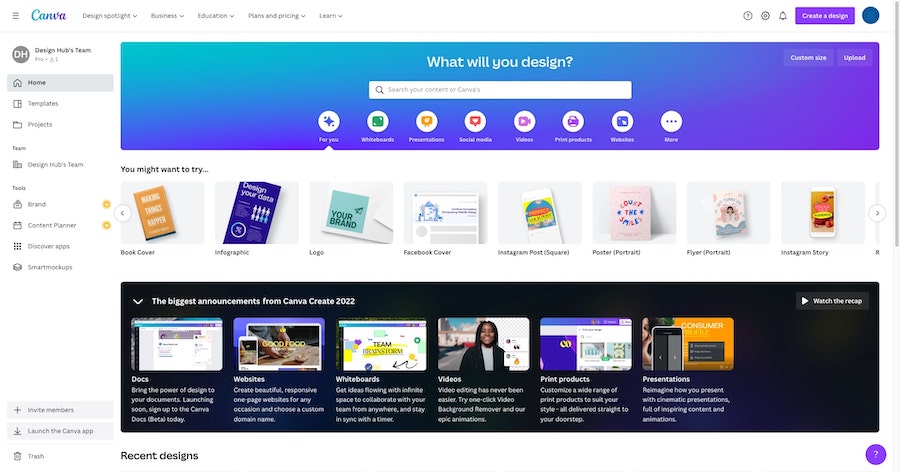
1) Canva — the best all-around alternative for templates + social content
Canva is the obvious one, but it’s obvious for a reason.
It’s the closest thing to “open, pick, edit, ship” at scale. And it’s usually the first tool people move to when they outgrow Snappa’s library or want more brand controls.
Who it’s for
Beginners, creators, small businesses. Anyone making a lot of social posts, ads, thumbnails, quick flyers, simple decks.
Why it’s a strong Snappa alternative
- Massive template library. Like, you will not run out.
- Drag and drop editor that stays beginner friendly even as features pile up.
- Brand Kit. Keep logos, colors, fonts consistent.
- Resize across platforms easily, especially if you’re doing Instagram, Facebook, Pinterest, and want the same creative adapted fast.
Where Snappa may still win
This is kind of important if you loved Snappa for its simplicity.
Canva can feel… busy. More panels. More options. More “stuff”. Snappa sometimes wins on pure no friction exporting for simple image posts.
Pricing snapshot
Canva has a free tier that’s genuinely usable, but most people hit limits around:
- premium templates and assets
- background remover
- brand kit depth
- resize features
- team permissions
Paid tiers are where it becomes a real Snappa replacement for business workflows.
Best use cases (if you want Snappa style speed)
- Instagram carousel (multi page designs are easy)
- YouTube thumbnails (tons of templates)
- Pinterest pins (format options are solid)
- Twitter/X header and post graphics (fast resizing)
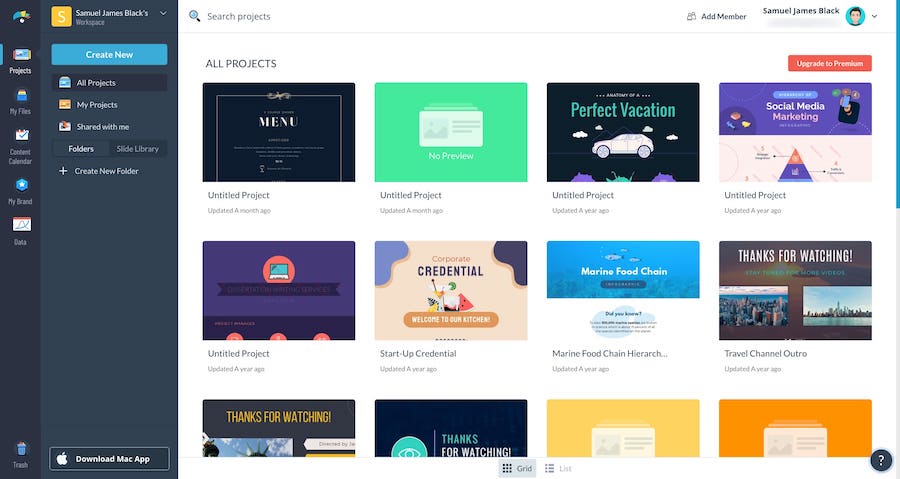
2) Visme — best for presentations, infographics, and brand-ready visuals
If Snappa is “social graphics quickly”, Visme leans more “business visuals that still look good”.
It’s a cloud based app too. But the template ecosystem and tools push you toward decks, reports, charts, infographics, even light motion and interactive elements depending on plan.
Who it’s for
Marketers, educators, founders. Anyone making:
- presentations
- one pagers
- reports
- infographics
- data visualizations
Strengths vs Snappa
- Data visualization tools. Charts and graphs are more central here.
- Presentation builder that’s stronger than most template first social tools.
- Brand consistency features. Better if you care about keeping decks and marketing visuals aligned.
- Asset management tends to feel more “business” than “creator”.
A practical workflow tip (this is where Visme shines)
Make one deck. Then repurpose.
You can take slide visuals and export them as:
- social snippets
- teaser graphics
- infographic sections
- quote cards
That reuse loop is how Visme earns its keep.
Considerations
- Learning curve is higher than Snappa. Not terrible, just… more tool.
- Template depth is strong for business visuals, sometimes less playful than Canva.
- Export options and downloads can be tied to plan level.
Pricing overview (high level)
Visme pricing typically changes based on:
- download limits and formats
- brand kit and asset library
- collaboration and team features
If you’re mostly making Instagram posts, it might be overkill. If you’re making decks every week, it’s the opposite. It’s a relief.
3) Adobe Photoshop — best if you’ve outgrown template-based editors
This is the “ok fine, I need real control” option.
Photoshop is not a Snappa clone. It’s not trying to be fast templates. But it absolutely replaces Snappa when your limitation is the editor itself.
Retouching. Compositing. Advanced typography. Precise layout control. Color work. Real masks.
.png)
Who it’s for
Creators and teams that need:
- advanced photo manipulation
- precise brand visuals
- high end campaign creative
- consistent outputs across lots of variations
Why it’s a Snappa alternative at all
Because sometimes your problem is not templates. It’s that your tool can’t do the thing.
Example: you need to cut out hair properly. Or match lighting. Or build a composite hero image. Or do real product retouching.
Snappa can’t become Photoshop. Photoshop can absolutely cover Snappa’s job, if you build the process.
Practical bridge: how to regain speed with Photoshop
- Create your own templates as PSD files (Instagram post, story, Pinterest, YouTube thumbnail)
- Use smart objects for images
- Save character styles and paragraph styles for typography
- Store brand assets in libraries
That way Photoshop becomes less “blank canvas” and more “drop in assets, export, done”.
Collaboration and export
Photoshop gives you control over file types and quality:
- PSD working files
- high quality PNG/JPG exports
- print ready formats when needed
For brand consistency across campaigns, it’s still the gold standard for a lot of teams.
Pricing note
It’s subscription based. Worth it when:
- your outputs need higher end polish
- you’re spending money on multiple lightweight tools anyway
- you’re losing time fighting limitations
If you mostly need quote cards and basic social graphics, it’s probably too much.
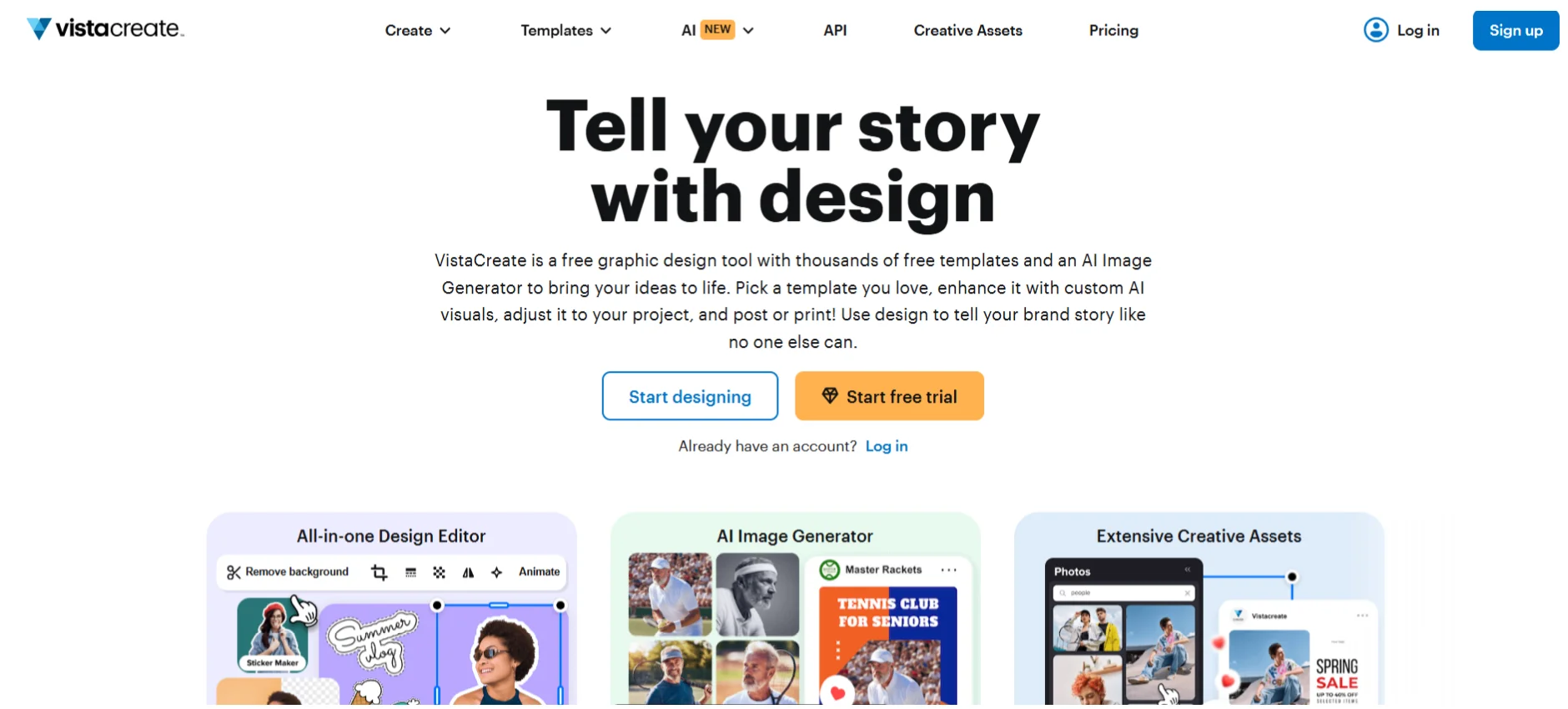
4) VistaCreate — best “Snappa-like” experience with strong templates
VistaCreate (formerly Crello) is one of the closest matches to Snappa’s vibe.
It’s beginner friendly. It’s template forward. It’s fast. And it tends to offer more motion and animated post options than people expect when they first open it.
Who it’s for
People who like Snappa’s simplicity but want:
- more template variety
- more modern social formats
- motion and animated posts without learning video software
Why it feels familiar
- Drag and drop editing
- Ready made social formats
- Quick edits, quick exports
- Beginner friendly UI that doesn’t overwhelm
Where it can fall short
- It’s not a deep pro editor like Photoshop
- Some useful features can sit behind paid plans (free plan limitations are real)
- Brand workflow depth can vary depending on what tier you’re on
Social formats to highlight
- Instagram stories and reel covers
- Facebook ads
- Pinterest pins
- Simple animated posts for promos
Pricing snapshot (what to compare to Snappa)
When you compare VistaCreate to Snappa Starter/Pro/Team style needs, focus on:
- whether free exports are enough for you
- whether you need premium assets
- whether you need team collaboration
If your goal is “Snappa but with more templates and motion”, this is usually the first tool I’d test.
5) Pixlr — best browser-based photo editor when you need quick edits fast
Pixlr is less about marketing templates and more about editing speed.
It’s a browser based photo editor that can cover a lot of those “I just need to fix this image now” jobs. Background removal. Layers. Touch ups. Quick effects. Lightweight Photoshop style editing, without installing anything.
.png)
Who it’s for
Users who need:
- fast background removal
- quick product photo cleanup
- layers and masking (lightweight)
- a fast editor that opens instantly
Why it’s a Snappa alternative
Because sometimes Snappa is being used as a photo editor, even though it’s really a template tool.
If templates matter less than editing photos quickly, Pixlr can replace that part of the workflow. Or complement it.
Limitations
- Fewer marketing templates than Canva or VistaCreate
- Brand kits and content systems are not the core focus
- Social scheduling is usually external (export then schedule)
Best workflow (this is what I see teams do)
- Edit product photos in Pixlr
- Export clean PNG/JPG
- Drop into your template tool (Canva, VistaCreate, Visme)
- Post or schedule in Buffer style tool
It’s a simple chain. It stays fast.
Pricing
Pixlr has a free tier, but common free plan limitations include:
- ads
- tool restrictions
- export or quality limits depending on current plan rules
If you’re using it daily, paid is usually worth it just for the friction removal.
6) Figma (with template kits) — best for teams that need collaboration and systems
Figma is not a marketing template tool out of the box. But for teams, it can be the fastest system once set up.
Real time collaboration. Components. Shared libraries. Approvals. Version history that actually makes sense. If you’re doing repeatable social systems and ad variations, Figma is a monster.

Who it’s for
Teams designing:
- repeatable social templates
- ad variations at scale
- brand systems and locked layouts
- internal approval workflows
Why it’s a Snappa alternative
Snappa is fast for individuals. Figma is fast for teams.
In Figma you can build:
- components for headers, footers, CTA blocks
- text styles for brand typography
- color styles and effects
- shared libraries across the org
Once that exists, making new creatives becomes swapping content, not redesigning.
Trade-offs
- Not as beginner friendly as Canva or Snappa
- Fewer one click marketing templates
- Needs a setup phase (someone has to build the system)
The process angle (how teams avoid bottlenecks)
Design system template → content gets dropped in → review comments in file → approval → export assets
No more “can you send me the latest version”. It’s just there.
Pricing and permissions
Figma’s pricing tends to scale with:
- editor seats
- permissions
- org level controls
If you’re bumping into Snappa Team plan style limits and your workflow is getting messy, Figma is often the grown up answer.
Side-by-side comparison: which Snappa alternative should you choose?
Here’s the quick decision matrix.
Hidden selection factors people forget
- Export quality. Some tools compress more than you expect.
- Brand kit depth. Can you lock elements. Can you manage multiple brands.
- Licensing clarity for stock assets. Especially if you’re running ads.
- Learning curve. A tool can be powerful and still slow you down for weeks.
Simple recommendation flow
- If you mainly design social posts and ads: Canva (or VistaCreate if you want Snappa-like simplicity)
- If you mainly design decks and infographics: Visme
- If you mainly need pro photo editing and compositing: Photoshop
- If you mainly need fast image cleanup: Pixlr
- If you mainly need team collaboration and repeatable systems: Figma
What to consider before switching from Snappa (so you don’t lose speed)
Switching tools is easy. Keeping speed is the hard part.
Here’s what I’d check before you move everything.
Asset migration checklist
- brand colors (HEX codes)
- fonts (and what’s actually available in the new tool)
- logos (SVG/PNG versions)
- saved templates you rely on
- stock asset sourcing (are you replacing Snappa’s library or bringing your own)
Workflow checklist (sizes you use constantly)
List the sizes you use weekly, not the ones you think you use:
- Instagram post
- Instagram story
- Facebook ad sizes
- Twitter/X header and post graphics
- Pinterest pins
- YouTube thumbnails
Then test how each tool handles:
- resizing without breaking layouts
- batch exporting
- multi page designs (carousels, story sequences)
Social posting reality (quick truth)
A lot of teams still do this:
Design tool → export → schedule in Buffer (or similar)
Built in publishing is convenient, sure. But best of breed scheduling often wins once you’re serious. Decide what you want:
- all in one publishing
- clean export workflow with a dedicated scheduler
Team considerations
If more than one person touches designs, you need to think about:
- roles and permissions
- approval flows
- shared folders and asset libraries
- onboarding new teammates without chaos
This is where Snappa can start feeling small, and where Canva Teams or Figma can feel like a big upgrade.
Support considerations
Snappa is actually known for good support. Their Instant Answers style help section, real time search, and fast response times are part of why people stick around.
So when you switch, don’t ignore:
- customer support responsiveness
- tutorial quality
- onboarding experience
- community templates
If your team is non designers, support matters more than you think.
Wrapping up: the best pick depends on what you design most
If you want the fastest general replacement, it’s Canva.
If you need business visuals like decks and infographics, go Visme.
If you want full control and you’ve hit the template ceiling, Photoshop.
If you want Snappa-like simplicity with strong templates and motion, VistaCreate.
If you mainly need quick photo edits in the browser, Pixlr.
If you’re building a repeatable team system with approvals, Figma.
The point is not to “upgrade” from Snappa just to upgrade. It’s to match your real workflow. Pricing, free plan limitations, team needs, and how you actually publish content.
Next step. Pick two tools this week, and test them using the same mini task:
- make one Instagram post
- make one Pinterest pin from the same idea
Time yourself. Export. See which one feels smooth. The best alternative is the one that keeps you moving.
FAQs (Frequently Asked Questions)
Why are people searching for Snappa alternatives in 2026?
People look for Snappa alternatives in 2026 because design tools have evolved, raising expectations for features like advanced brand kits, faster resizing, better collaboration, AI-assisted design capabilities, and smoother social media publishing workflows. Additionally, limitations in Snappa's free plan, pricing, and team workflows prompt users to explore other options.
What are the main strengths of Snappa as a graphic design tool?
Snappa excels with its user-friendly, clean interface that simplifies design tasks. It offers quick resizing between social media formats, a vast library of built-in HD stock photos and graphics, and straightforward onboarding that helps non-designers create graphics fast without feeling overwhelmed.
Where does Snappa fall short compared to other design tools?
Snappa can feel limiting when it comes to advanced editing features such as detailed compositing and precision typography. Its brand management capabilities are basic for those managing multiple brands or requiring strict controls. Collaboration is suitable only for small teams, and free plan restrictions often push users to upgrade sooner than expected.
What criteria should I use to choose the best Snappa alternative?
When selecting a Snappa alternative, consider speed and ease of use for non-designers (can you create quality designs quickly?), template quality and modernity, editor strength including layers and effects, export formats and quality (PNG, JPG, PDF with transparent backgrounds), social media workflow integration including scheduling tools, plus 2026-specific needs like AI-assisted features, brand kits with reusable styles, team permissions, and content scheduling connections.
Which tools are recommended as top Snappa alternatives based on different goals?
For fastest social media graphics creation, Canva or VistaCreate are recommended. For presentations and infographics, Visme is ideal. Adobe Photoshop suits those needing pro-level photo editing and full control. Pixlr is great for quick browser-based photo edits. For team collaboration systems with strong workflows, Figma is preferred.
How does pricing affect the decision to switch from Snappa to another tool?
Snappa offers a free Starter plan with limitations that may push users to upgrade earlier than expected. Paid plans include Pro at around $15/month and Team at about $30/month for up to 5 users. Pricing considerations often influence switching decisions as users seek more value through better features or more flexible team workflows in alternative tools.
.png)
.png)