CapCut Ban Explained: What Happened and What's Replacing It
CapCut was banned in the US in January 2025 under PAFACA, then restored 48 hours later. See the full 2026 status update and the best alternatives.


TL;DR
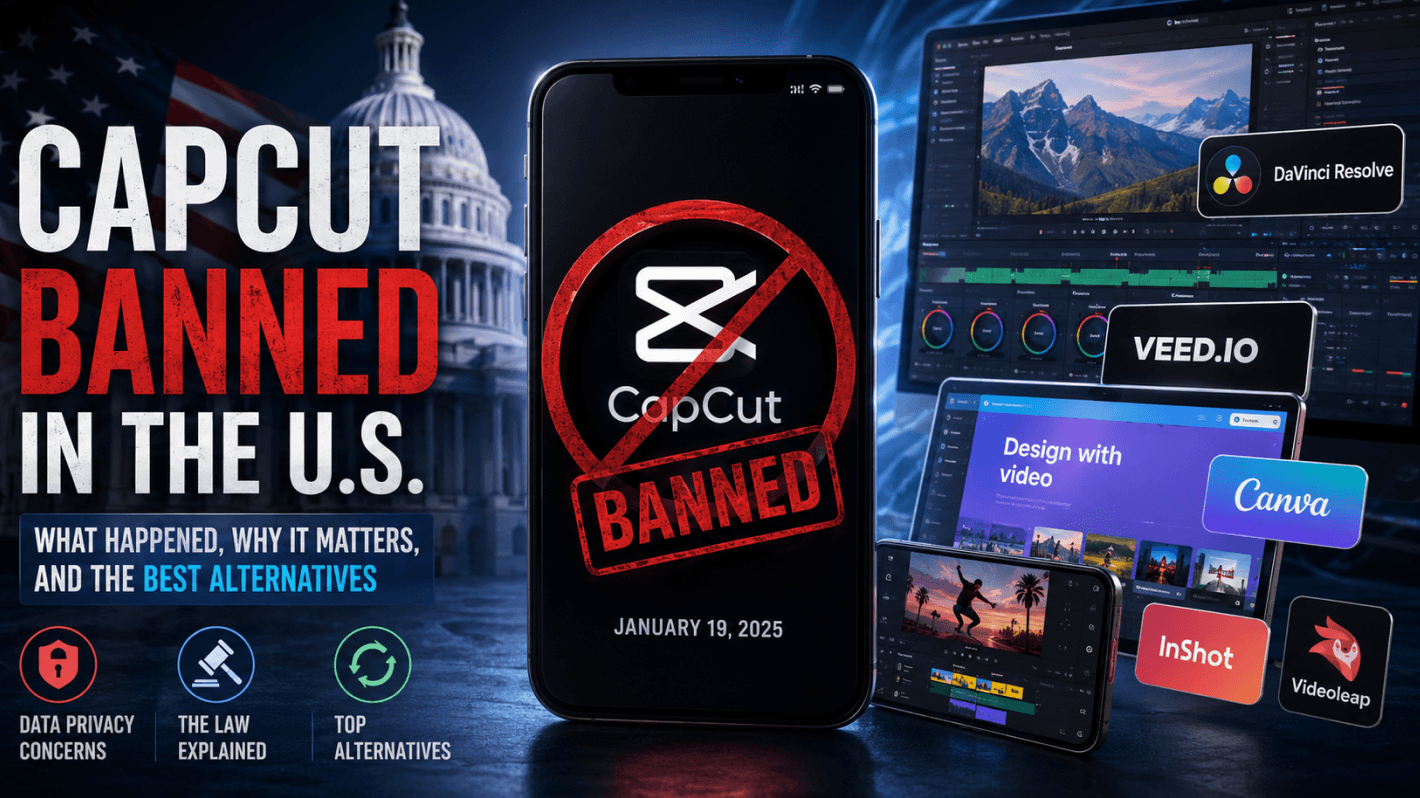
- CapCut was banned in the US on January 19, 2025, under the Protecting Americans from Foreign Adversary Controlled Applications Act (PAFACA), alongside TikTok and every other ByteDance-owned app
- The ban lasted roughly 48 hours: Trump's executive order delayed enforcement on January 21, 2025, and service was restored
- As of May 2026, CapCut is fully available in the US following the January 22, 2026 closure of the TikTok USDS Joint Venture deal, which explicitly covers CapCut
- CapCut has not been renamed. It is still called CapCut. The "new CapCut app" confusion comes from the ownership restructure, not a rebrand
- If you want to switch anyway, the strongest alternatives are InShot, Adobe Premiere Rush, DaVinci Resolve, and Canva
Introduction
According to SendShort.ai, CapCut had 736 million monthly active mobile users in early 2026, up from 323 million just 18 months earlier, making it one of the fastest-growing apps on the planet, which is exactly why its brief disappearance from US app stores in January 2025 sent the creator economy into a panic.
The reality of what happened is more complicated than the headlines suggested. CapCut was not "cancelled." It was not permanently deleted. And the question of whether it is gone for good has a clear answer, but only if you understand the law that caused the ban in the first place.
This post covers why CapCut was banned, what the current legal status actually is (not what viral tweets said in January 2025), whether a second ban is coming, and which apps are actually worth switching to if you decide you are done with ByteDance's ecosystem entirely.
Why Is CapCut Being Banned?
CapCut is being banned because it is owned by ByteDance, a Chinese company legally required under US law to divest its American operations or face removal from US app stores under PAFACA, the same legislation that targeted TikTok.
The ban was never really about CapCut specifically. It was always about ByteDance. Every question about whether they are getting rid of CapCut, whether CapCut is being removed from app stores entirely, or why it keeps coming up in the news traces back to one root cause: ByteDance's ownership structure. CapCut just happened to be the second-most-popular app in that portfolio, which meant it got swept up in the same legislation that went after TikTok.
The Law That Made It Happen: PAFACA
The Protecting Americans from Foreign Adversary Controlled Applications Act, mercifully shortened to PAFACA, was signed into law by President Biden on April 24, 2024. It gave ByteDance 270 days to divest its US operations or face a ban on all its apps operating in the country.
The legislation defines a "foreign adversary controlled application" as any app that is more than 20% owned by a company based in a country designated as a foreign adversary (which, for these purposes, means China). ByteDance is a Chinese company. That made TikTok, CapCut, Lemon8, TikTok Studio, and every other ByteDance app subject to the law.
This was not a gray area. PAFACA explicitly names CapCut in the list of covered applications. The 270-day clock started ticking the day Biden signed it, landing the deadline on January 19, 2025.
The Data Privacy Case Against CapCut
The law gave the ban its mechanism, but data privacy concerns gave it its political momentum. Reporting from The Record found that CapCut covertly collects a striking range of device identifiers beyond what most users expect from a video editor: MAC addresses, IMEI numbers, MEID codes, ICCID numbers, SIM serial numbers, biometric facial measurements, and precise geolocation data, often without notification or consent.
A nationwide class-action lawsuit filed July 28, 2023 in the US District Court for the Northern District of Illinois alleged that CapCut and ByteDance illegally harvested biometric data in violation of Illinois BIPA. The core concern from legislators was not just that the data was being collected, but where it could end up. As a Chinese company, ByteDance operates under Chinese national security law, which requires companies to cooperate with government intelligence requests. That combination of mass data collection and a legal obligation to share it is what drove Congress to act.
To be honest, I spent most of 2024 in a state of "privacy cognitive dissonance." As a creator, I loved CapCut’s one-tap background removal, but as someone who reads the fine print, the collection of MAC addresses and biometric data felt like an overreach for a simple video editor. My trust broke when I realized the app was pinging servers even when I wasn't editing. We eventually moved our more "sensitive" client work—anything involving proprietary product demos or internal faces—off the platform entirely months before the law forced our hand. If you feel like the convenience is a "bribe" for your data, you’re not alone.
If you want to see how AI-powered tools that handle your content differently compare, our breakdown of AI video content tools for creators covers the landscape without the ByteDance complexity.
Why CapCut Is "Cancelled": The June 2025 Terms of Service Problem
Here is the part of the story that gets far less attention than the ban itself, and it matters more for most creators.
On June 12, 2025, CapCut rolled out a major Terms of Service update. The update grants ByteDance (and its affiliates) a perpetual, worldwide, royalty-free license to use, adapt, modify, distribute, and create derivative works from any content you upload or edit in the app. That license covers your likeness (your face, your voice, your name), and it persists even after you delete the content or close your account.
According to legal analysis of the updated terms, this means ByteDance can technically use your content in advertisements, promotional materials, or third-party distribution without notifying, crediting, or compensating you.
Even with the ban resolved, CapCut's June 2025 Terms of Service grant ByteDance a perpetual, royalty-free license to your content, including your face and voice, even after you delete it. The ban got the headlines. This should have.
CapCut has stated that it has not changed users' ownership of their work and has "never claimed ownership." But retaining copyright and granting a sweeping commercial license to a third party are two different things. This is the reason many creators are treating the ban not as a crisis that passed, but as the nudge they needed to switch.
Is CapCut Still Banned in the USA? The 2026 Status Update
As of May 2026, CapCut is not banned in the United States. It is fully available on the Apple App Store and Google Play, following the closure of the TikTok USDS Joint Venture deal on January 22, 2026.
The situation is fluid enough that it is worth walking through the full timeline clearly, because the internet is littered with articles written at different points in the story that contradict each other depending on when they were published.
What Actually Happened in January 2025
On January 19, 2025, at 10 PM EST, PAFACA's enforcement deadline hit. CapCut, TikTok, Lemon8, and every other ByteDance app went dark in the US simultaneously. Users who already had the apps installed could still open them, but new downloads were blocked and existing installs stopped functioning for many users.
This was not a glitch. The ban took effect exactly as the law required.
Two days later, on January 21, 2025, President Trump issued an executive order directing the Attorney General not to enforce PAFACA for 75 days, citing ongoing negotiations between ByteDance and potential US buyers. Service was restored. The apps came back. And the 75-day clock started ticking again.
How the USDS Deal Resolved the Ban
April 5, 2025 was the expiry of that 75-day window, a date that went viral as a "second ban date." Enforcement was not resumed. Negotiations continued.
By December 18, 2025, ByteDance reached a binding agreement to form a new entity: TikTok USDS Joint Venture LLC. The deal closed on January 22, 2026, with ownership structured as follows: Oracle at 15%, Silver Lake at 15%, Abu Dhabi's MGX at 15%, existing ByteDance investors at approximately 30%, and ByteDance itself retaining 19.9%, one basis point below PAFACA's 20% "foreign adversary" threshold.
That 19.9% figure is not a coincidence. It is a deliberate legal engineering choice to keep ByteDance inside the ownership structure while technically satisfying the statute.
The official announcement from TikTok USDS Joint Venture LLC confirmed that the deal explicitly covers CapCut and Lemon8, not just TikTok. As reported by The Hacker News, this brings ByteDance into full PAFACA compliance. The ban, as a structural legal threat, has been resolved.
Is the US Banning CapCut Again?
There is no confirmed second ban date as of May 2026. But the risk has not completely disappeared.
The Information Technology and Innovation Foundation notes that key questions remain unanswered: ByteDance retains algorithmic influence over the recommendation systems that power both TikTok and CapCut's AI features, even though it no longer holds operational control. Congressional interest in the deal's opacity has not faded.
A future ban would require either the USDS deal collapsing entirely, or Congress passing new legislation specifically targeting CapCut or other ByteDance-adjacent apps. Neither scenario is imminent as of this writing, but neither is impossible.
Those 48 hours in January were a wake-up call for our production pipeline. We had three high-priority Reels mid-edit when the app went dark. Because CapCut’s project files are proprietary and don't export to other editors, we didn't just lose time—we lost work. We calculated that the two-day blackout cost us roughly 14 man-hours in redundant editing and led to a 20% dip in engagement for that week due to missed posting windows. It taught us a hard lesson: never build your entire content strategy on a single point of failure, especially one tethered to a geopolitical tug-of-war.
What Is Replacing CapCut? The Best Alternatives in 2026
If you are looking to replace CapCut, the strongest options in 2026 are InShot and Adobe Premiere Rush for mobile editing, and DaVinci Resolve or Canva for desktop and browser-based work, all without ByteDance's data collection practices or its new ToS.
Even before the ban, CapCut's shift toward a subscription model was already pushing creators toward alternatives. By 2026, several of its most-used AI features (auto-captions, background removal, AI-generated B-roll) moved behind a paid tier. The ban accelerated the migration. The paywall is sustaining it.
Best Mobile Alternatives to CapCut
InShot is the closest like-for-like replacement for short-form social content. It is built specifically for Instagram, TikTok, and YouTube Shorts formats, with intuitive aspect ratio controls and a clean editing interface that does not require tutorials to navigate. The free tier holds up well without needing an upgrade.
Adobe Premiere Rush is the stronger choice if you are already inside the Adobe Creative Cloud ecosystem or if you edit across multiple devices. It syncs projects between your phone and desktop, handles multi-track audio better than most mobile editors, and exports at professional quality.
Videoleap sits between the two: more powerful than InShot, less complex than Premiere Rush, and specifically built for mobile-first creators who want keyframe controls and layered effects without switching to a desktop app.
For a full ranked comparison of these and other mobile options, our best video editing apps for Android and iPhone guide covers the 2025 landscape in detail. And if you want to see how CapCut itself stacks up against InShot and Adobe Premiere Rush feature by feature, the CapCut vs. other video editing apps breakdown is worth reading before you decide.
Best Desktop and Browser-Based Alternatives
DaVinci Resolve is the answer if you want professional-grade editing for free. Color grading, multi-track audio, visual effects, and motion graphics are all included at no cost. The learning curve is steeper than CapCut, but you own everything you create, and there is no ToS granting anyone a license to your footage.
Canva deserves mention for a specific reason: it explicitly does not license your content for commercial use. What you create and export is yours. For creators who use CapCut primarily for quick branded videos or social templates, Canva's video tools cover most of that use case with a content ownership policy that is the mirror image of CapCut's June 2025 update.
VEED.io is the strongest browser-based option for teams: collaborative editing, auto-subtitles, and a clean interface that does not require any installation.
If budget is your primary constraint, our guide to the best free video editors without watermarks walks through which free tools are actually free versus which ones lock exports behind a paywall.
Currently, our team uses a "hybrid" workflow to stay safe. For quick, "disposable" social content where we aren't worried about the long-term license, we still use InShot because the UI is nearly identical to what we’re used to. However, for anything substantial, we’ve migrated to DaVinci Resolve. The "Cut" page in DaVinci is surprisingly fast once you map your keyboard shortcuts, and knowing that our source footage isn't being licensed back to a third party gives us (and our legal team) much better sleep at night.
What Is the New CapCut App Called?
CapCut has not been renamed. The current name of CapCut is still CapCut as of May 2026. There is no "new CapCut app." The confusion comes from the ownership restructure, not a rebrand.
When people search for "the new CapCut app" or ask what CapCut is "called now," they are usually reacting to one of two things: news coverage of the USDS joint venture deal (which involved creating a new legal entity called TikTok USDS Joint Venture LLC) or the general chaos of the January 2025 ban period, when some users could not access the app and assumed it had been replaced by something else.
The app you download today from the App Store or Google Play is the same CapCut. The company sitting above it in the ownership chain is different: it is now technically under American-majority control through the USDS deal. But the product name, the interface, the feature set, and the brand are unchanged.
The "newest version" of CapCut is simply the latest update pushed through the standard app store update mechanism. There is no separate successor app.
If you want a clean break with a new tool rather than the same app under restructured ownership, our top 10 free mobile video editing apps comparison gives you a ranked list of alternatives sorted by use case.
FAQ
Q: Is CapCut available to download right now in the US?A: Yes. As of May 2026, CapCut is available on both the Apple App Store and Google Play in the United States. The January 2025 ban was lifted within 48 hours, and the January 2026 USDS deal resolved the underlying legal issue.
Q: Did CapCut get permanently removed from app stores?A: No. CapCut was briefly delisted from US app stores on January 19, 2025, but was restored on January 21 following Trump's executive order delaying PAFACA enforcement. It has been continuously available since.
Q: Is CapCut safe to use in 2026?A: The geopolitical ban risk has subsided following the USDS deal, but CapCut's June 2025 Terms of Service update is a legitimate concern. The ToS grants ByteDance a perpetual license to use your content (including your likeness) for commercial purposes, even after deletion. Whether that risk is acceptable depends on your content type and professional context.
Q: Does CapCut still collect user data after the USDS deal?A: The USDS deal restructures ownership and brings ByteDance below PAFACA's 20% ownership threshold, but the app's underlying data collection practices have not been publicly confirmed as changed. The class-action lawsuit regarding biometric data collection filed in 2023 remains a separate ongoing legal matter from the ownership restructure.
Q: What free app is most similar to CapCut for short-form video?A: InShot is the closest free mobile alternative for short-form social content. For desktop editing without watermarks, DaVinci Resolve is the strongest free option. For a full breakdown, see our top 10 free mobile video editing apps comparison.
Q: Is CapCut permanently banned in India?A: Yes. CapCut has been permanently banned in India since June 29, 2020, as part of the Indian government's ban on 59 Chinese apps citing national security and data privacy concerns. That ban remains fully in effect and is unrelated to the US PAFACA situation.
Q: Will CapCut be banned again if the USDS deal falls apart?A: Potentially, yes. PAFACA is still law, and if ByteDance's stake in the USDS joint venture were to exceed 20% or if the deal were voided, the enforcement mechanism would reactivate. There is no confirmed risk of this happening in 2026, but it is not a zero-probability scenario.
Conclusion
The CapCut ban story has three layers, and most coverage only gets to the first one.
The first layer is the law: PAFACA gave ByteDance a deadline, CapCut went dark for 48 hours in January 2025, and the USDS deal resolved the immediate legal threat by January 2026. That part is settled, for now.
The second layer is the ownership structure: ByteDance's 19.9% stake in the USDS joint venture keeps it inside the deal while technically satisfying the statute. The national security concerns that drove the legislation have not fully disappeared. They have been managed, not eliminated.
The third layer is the one that matters most for creators: CapCut's June 2025 Terms of Service update exists completely independently of the ban. Whether or not the app ever faces another government action, you are currently using a tool that grants its parent company a perpetual, worldwide license to your content and your likeness.
If you are comfortable with that trade-off, CapCut is back and fully functional. If you are not, the alternatives have never been better. For a full breakdown of every major editing tool across desktop, mobile, and browser, our ultimate guide to video editing software is the next stop.
.png)
.png)

.avif)