Interactive video question types: 5 formats that convert
Multiple choice, fill-in-the-blank, true/false, polls, and open-ended questions each serve a different purpose in interactive video. Here is when to use each.
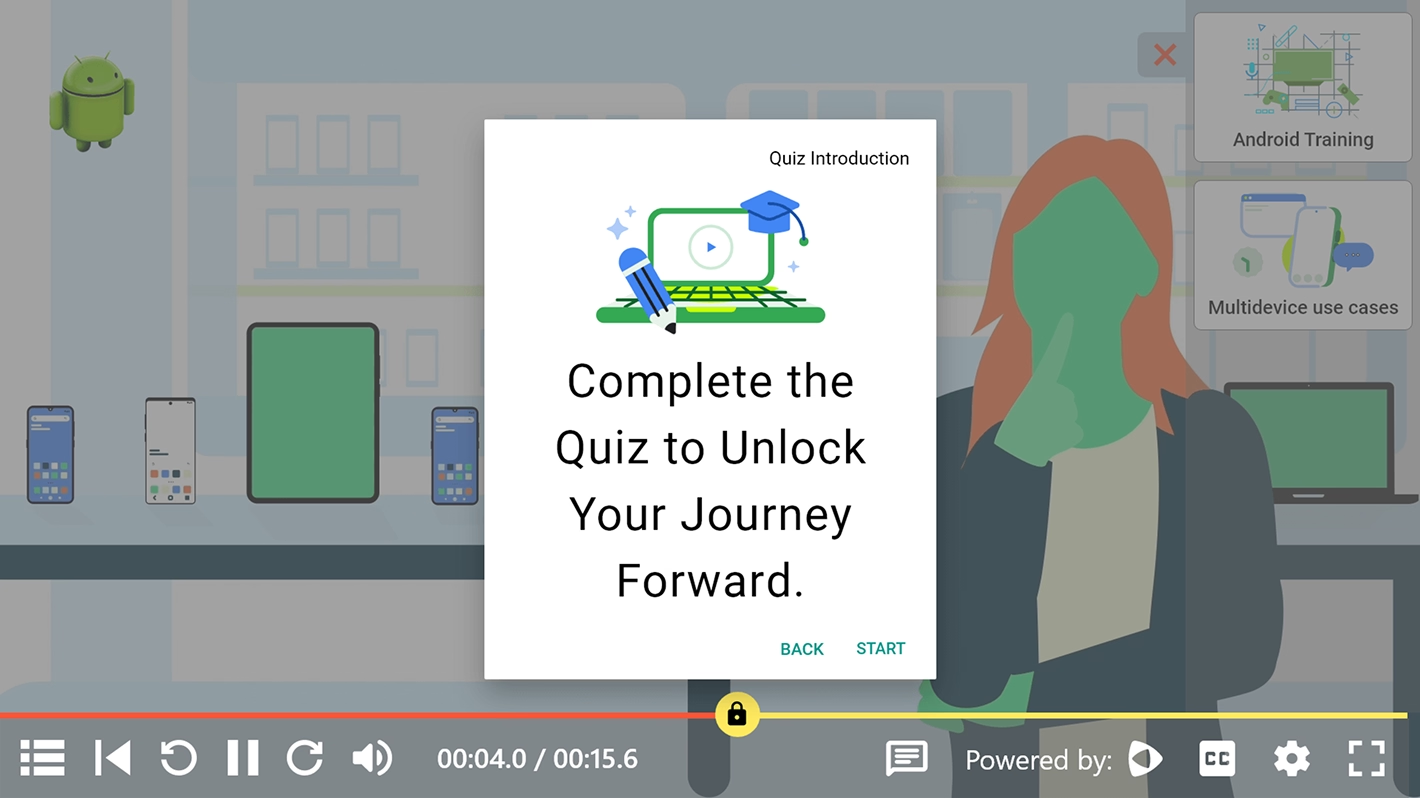


Adding questions to a video changes what the viewer does. Instead of watching and forgetting, they stop, think, and respond. That single shift lifts completion rates by 61% over standard video. It also makes viewers 5.2 times more likely to fill out a lead form, based on Wistia's 2026 report covering 2.3 million videos (Wistia, 2026, retrieved 2026-06-16).
But not every question type works for every goal. Multiple choice is fast and scalable. Fill-in-the-blank tests real recall. True/false checks comprehension in seconds. Polls surface audience opinion in real time. Open-ended questions give you qualitative data no structured format can capture.
This guide breaks down all five formats, explains when each one earns its place, and shows how to set them up in practice.
Key takeaways
- Interactive video questions increase completion rates by 61% over standard video (Wistia, 2026)
- Quiz completion rates average 83.7% globally, rising to 88.2% on mobile-optimized formats (HubSpot, 2026, retrieved 2026-06-16)
- Each question type serves a different learning goal: use multiple choice for assessment, fill-in-the-blank for recall, true/false for speed checks, polls for engagement, and open-ended for qualitative feedback
- In a controlled university study, students using interactive video with checkpoint quizzes scored 12.4% higher on final exams than students using standard video (Clixie AI, 2026)
Which question type should you use? Quick reference
What are interactive video question types?
Interactive video question types are prompts embedded at specific points in a video that ask the viewer to respond before continuing. The viewer's answer can trigger feedback, branch the video to a different path, award points, or log a data point for the creator.
In a standard video, the viewer is passive, watching and maybe taking notes, but never being asked to stop and respond to anything on screen. In an interactive video with questions, the viewer becomes a participant.
That distinction matters because people remember more when they take part. The EDUCAUSE Review found that adding interactivity to video-based learning raises retention by 20% or more versus passive viewing (EDUCAUSE Review, 2024, retrieved 2026-06-16).
The five question types below are the building blocks. Most interactive video platforms support all five, though the implementation details (timed responses, point values, branching logic, feedback options) vary.
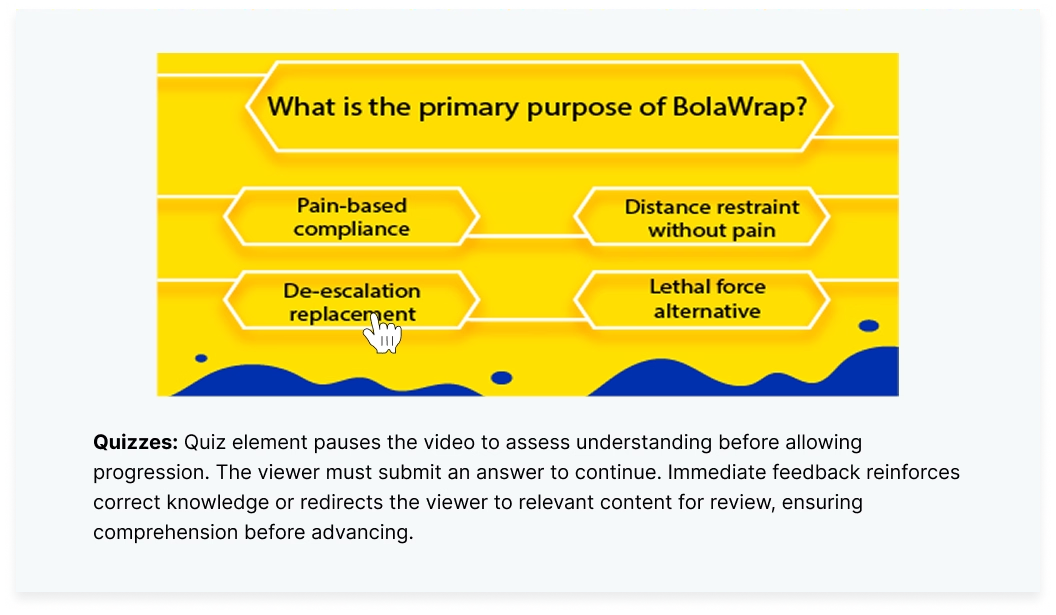
How do multiple choice questions work in interactive video?
Multiple choice questions (MCQs) present the viewer with a prompt and two to five answer options. The viewer selects one. The platform scores it, shows feedback, and either continues the video or branches based on the response.
MCQs are the most widely used question type in interactive video because they scale well, grade automatically, and create minimal friction. A viewer can answer in under 5 seconds, which keeps completion rates high.
When to use multiple choice
- Compliance and certification: regulatory training where you need to document that the learner answered correctly. MCQs produce a graded record that satisfies audit requirements.
- Product knowledge checks: sales enablement videos where reps need to demonstrate they know the feature set before moving to the next module.
- Gated content progression: training programs where the next chapter only unlocks after the learner passes a quiz. In a University of Michigan pilot study using Clixie, students who completed checkpoint MCQs at the end of each video chapter scored 12.4% higher on their final exam than the control group using standard video.
How to write a good multiple choice question
Keep the question stem short and clear. Include one correct answer and two to three plausible distractors. Avoid "all of the above" and "none of the above" because they reduce the question's ability to test real understanding. Add specific feedback for incorrect answers that explains why the choice was wrong, not just "incorrect, try again."
When should you use fill-in-the-blank questions?
Fill-in-the-blank questions ask the viewer to type a word, phrase, or number into an empty field. There's no list of options to choose from. The viewer has to recall the answer from memory.
This makes fill-in-the-blank the hardest question type for viewers. It's also the most useful for testing true recall. MCQs test recognition: can you pick the right answer when you see it? Fill-in-the-blank tests recall: can you produce the answer from scratch?
When to use fill-in-the-blank
- Vocabulary and terminology: language courses, medical training, or any content where learners need to produce the exact term, not just recognize it.
- Procedural steps: "To export a SCORM package, go to File, then click ______." The blank forces the learner to remember the step, not guess from a list.
- Numerical answers: financial training where the learner needs to calculate a value and enter it. "If the retention rate is 90% and the churn rate is 10%, the net revenue retention is ______%."
Watch for drop-off
Fill-in-the-blank has a higher abandonment risk than other question types because typing on mobile is slower and more error-prone. Keep answers short (one to three words). Accept common misspellings. Provide a hint or word bank if the training goal is reinforcement rather than strict assessment.
Are true/false questions worth adding?
True/false questions give the viewer a statement and two choices: true or false. That's it. Response time is under 2 seconds, which makes them the fastest question type and the one least likely to interrupt the viewer's flow.
The trade-off is diagnostic value. A viewer has a 50% chance of guessing correctly, so true/false questions are weak as standalone assessments. They work best as mid-video pulse checks that keep the viewer engaged without creating friction.
When to use true/false
- Myth-busting: "True or false: interactive video requires coding to set up." The answer (false) lets you immediately correct a misconception while the viewer is paying attention.
- Policy confirmation: compliance training where the learner needs to confirm they understand a specific rule. "True or false: employees must report suspected data breaches within 72 hours."
- Attention checks: long training videos where you need to confirm the viewer is still watching. A true/false question every 3 to 5 minutes resets attention without derailing the content.
Pair them with feedback
The real value of true/false isn't in the score. It's in the feedback screen. When the viewer answers "true" to a false statement, the feedback screen is your chance to explain why. That correction, delivered at the moment of error, is more effective than restating the fact later.
How do polls and surveys drive engagement in video?
Poll questions present options and display the aggregate results in real time. Unlike quizzes, there's no right or wrong answer. The viewer sees what percentage of other viewers chose each option.
Polls create a social dimension inside a video that no other question type offers. Seeing that 73% of other viewers agree with your choice, or that you're in a tiny minority who disagrees, triggers curiosity, validation, or surprise. All three keep people watching.
When to use polls
- Webinars and live events: polls during a live session let the presenter adjust the content based on audience interest. "Which topic should we cover next?" gives the audience control and keeps them invested.
- Marketing videos: "What's your biggest challenge with video training?" A poll in a product demo video captures lead qualification data without a form. It feels like a conversation, not a gated asset.
- Onboarding sentiment: "How confident do you feel about this process so far? Very / Somewhat / Not yet." A mid-onboarding poll gives the L&D team real-time signal on where learners are struggling.
Polls generate data you can act on
Every poll response is a data point. Say you embed a poll in a compliance training video and 40% of viewers say they're "not confident" about a procedure. You've found a training gap without waiting for an incident report. At Clixie, we've watched L&D teams reshape entire onboarding programs based on poll data. One poll question showed that 60% of new hires didn't understand the escalation process. That one data point triggered a full redesign.
Open-ended questions: when free text beats structured answers
Open-ended questions ask the viewer to type a free-text response. There's no grading, no right answer, and no predefined options. The viewer writes what they think.
This is the hardest question type for completion because typing a thoughtful response takes 30 to 60 seconds, and many viewers will skip rather than type on their phone or laptop. But when the goal is reflection, self-assessment, or qualitative data collection, no other format works.
When to use open-ended
- Leadership and soft skills training: "Describe a time you handled a difficult conversation with a direct report." The act of writing forces the learner to connect the training material to their own experience.
- Post-training reflection: at the end of a compliance module, "What's one thing you'll do differently after watching this?" captures intent in the learner's own words, which is more valuable for behavior change than a quiz score.
- Case study analysis: "Watch this customer interaction. What would you have done differently?" Open-ended questions turn a passive case study into active problem-solving.
Keep them optional or low-stakes
If open-ended questions are graded or required, completion rates drop sharply. Position them as reflection prompts ("take a moment to think about this") rather than assessments ("your answer will be reviewed by your manager"). The goal is thoughtful engagement, not performance anxiety.
How to choose the right question type for your goal
The question type should follow the goal, not the other way around. Picking the wrong format for the job is one of the most common mistakes we see when L&D teams start adding interactivity to their existing videos, and it usually shows up as high drop-off on questions that didn't need to be there. Here's a decision framework:
Your goalBest question typeWhyProve the learner passedMultiple choiceGraded, auditable, scalableTest real recall (not recognition)Fill-in-the-blankNo options to guess fromQuick engagement checkTrue/false2-second response, minimal frictionCapture audience opinion or sentimentPoll/surveyNo right answer, social proofCollect qualitative feedbackOpen-endedFree text, learner's own wordsGate content (unlock next chapter)Multiple choice or true/falseAuto-graded, pass/fail thresholdPersonalize the video pathMultiple choice with branchingEach answer triggers a different video segment
In practice, the best-performing interactive videos we build at Clixie use a mix. A true/false check every 3 to 5 minutes keeps attention up. MCQs at chapter boundaries gate progress. And one poll at the end captures how learners feel. That combo keeps completion rates above 85% while giving you both scores and feedback from a single video.
Setting up interactive questions in your videos
Adding questions to video doesn't require coding. Modern interactive video platforms handle the overlay, timing, scoring, and branching through a visual editor.
The setup process in Clixie works like this:
- Upload your video or connect it from a cloud source (Google Drive, OneDrive, Zoom recording).
- Scrub to the timestamp where you want the question to appear.
- Choose the question type from the interaction menu (MCQ, fill-in-the-blank, true/false, poll, or open-ended).
- Write the question and answers. For MCQs, mark the correct answer and set point values. For branching, assign each answer option to a different timestamp or video segment.
- Set feedback options. Decide whether the viewer sees "correct/incorrect" immediately, gets a detailed explanation, or simply moves on.
- Configure gating (optional). Lock the next chapter until the viewer answers correctly, or allow unlimited attempts.
- Publish and embed. The interactive video generates an embed code with
allowfullscreenbuilt in. Paste it into your LMS, website, or SCORM package.
Clixie's AI layer can also auto-generate quiz questions from the video's transcript. Upload a 10-minute training video, and the AI suggests MCQs and true/false questions based on the content. You review, edit, and approve before publishing.
FAQs
How many questions should I add to an interactive video?
One question every 3 to 5 minutes is a good starting point for training content. Too few and you lose the engagement benefit. Too many and you interrupt the flow. For a 10-minute video, 2 to 4 questions is typical. Adjust based on completion data: if drop-off spikes after a question, it's too disruptive or too difficult.
Do interactive video questions work on mobile?
Yes, all five question types work on mobile browsers and most native apps. MCQs, true/false, and polls are easiest to answer on a phone because they require a single tap. Fill-in-the-blank and open-ended require typing, which is slower on mobile. Quiz completion rates on mobile-optimized formats reach 88.2% globally (HubSpot, 2026, retrieved 2026-06-16).
Can I use questions to branch the video to different paths?
Yes. Multiple choice questions are the most common trigger for branching. Each answer option can route the viewer to a different video segment, creating a "choose your own path" experience. This is used heavily in sales training (different objection handling scenarios) and compliance training (different procedures for different roles).
What data do interactive video questions generate?
Each question logs the viewer's response, response time, number of attempts, and whether they got it right. Pull it all together across viewers and patterns appear: which questions most people get wrong (content gap), where drop-off spikes (friction point), and how one cohort stacks up against another.
Are interactive video questions accessible?
Good setups include keyboard navigation, screen reader labels on questions and answer buttons, and strong color contrast on feedback screens. When embedding, add title and aria-label to the iframe. Check your platform's access docs before rolling out to users with disabilities.
Can I export quiz results to my LMS?
Yes, if the interactive video is packaged as a SCORM 1.2 or SCORM 2004 module. SCORM packages send quiz scores, completion status, and learner responses directly to the LMS gradebook. Clixie exports SCORM packages natively, so the integration requires no custom development.
.png)
.png)