Top 10 Interactive Video Examples for Corporate Training [2026 Guide]
Discover 10 interactive video platforms for corporate training — branching, SCORM analytics, real L&D outcomes. See which fits your team. Start free



TL;DR
- Interactive video boosts knowledge retention to 93.5% vs. 79% for passive formats — the science is no longer debatable.
- The 10 platforms below cover every L&D use case, from free open-source tools to AI-powered training at scale.
- Not all "interactive video" is equal — branching paths plus behavioral analytics is the combination that produces measurable training ROI.
Key Takeaways
- Interactive video for corporate training is an active learning format that embeds quizzes, branching paths, and hotspots directly into the video timeline to drive measurable learner comprehension.
- Branching scenario video is a training delivery method that routes learners through personalized content pathways based on their in-video decisions, replacing one-size-fits-all passive playback.
- SCORM and xAPI are compliance standards that allow interactive training video platforms to send learner performance data — quiz scores, completion status, branching choices — directly to an LMS.
- The Kirkpatrick Model is a four-level training evaluation framework that interactive video analytics can fulfill at every level: reaction, learning, behavior, and results.
- Knowledge retention rates are 54% higher with active learning formats than with passive video consumption, based on comparative test score data.
Introduction
Here is a number that should bother every L&D manager: 90% of learning professionals say video significantly improves knowledge retention — yet 35% of employees who pause a non-interactive training video never press play again.
The problem is not video. The problem is passive video. A training video that plays start to finish, with no questions, no decisions, and no feedback loop, is not a learning experience. It is a liability dressed up as one. Completion ticks a box. Knowledge retention does not follow.
This guide covers how interactive video actually works, then gives you 10 real-platform examples — evaluated on the four dimensions that actually matter to L&D teams: branching depth, analytics granularity, LMS and SCORM integration, and AI capability.
Ready to stop guessing whether your training landed? Request a Clixie AI demo or log in and see what measurable training looks like.
What Is Interactive Video for Corporate Training?
Interactive video for corporate training is an active learning format that replaces passive playback with in-video decisions, questions, and branching pathways — transforming a viewer into a participant whose choices generate trackable behavioral data.
The distinction matters more than most L&D teams realize. Standard eLearning modules can include quizzes. Standard video can include voiceover. Interactive video combines both inside the video timeline — so the learner responds during the content, not after it. The ICAP Framework (Interactive, Constructive, Active, Passive) from cognitive learning science ranks interactive engagement as the highest-yield mode of learning. Branching video operationalizes that framework at scale.
The practical difference: a compliance video that plays through and ends with a five-question quiz is standard eLearning. A compliance video that pauses at a scenario, asks the learner to choose how to respond, routes them to different content based on their answer, and logs every decision in an xAPI-compliant record — that is interactive video. The measurable benefits of interactive video in training show up precisely because that second format demands that the brain engage, not just the eyes.
Why the Data Demands You Stop Using Passive Training Video
Passive training video is a format that delivers content without requiring learner interaction — and the performance gap versus interactive formats is now large enough that continuing to use it is a strategic choice, not a default.
The numbers are stark:
- 35% of employees who pause a non-interactive training video never resume — the average completion rate for passive training video dropped to 60% in 2024. (Research.com, 2026)
- Active learners retained 93.5% of information vs. 79% for passive learners in head-to-head safety training scenarios, one month after training. (SCIRP — "The Impact of Active Learning Strategies on Retention and Outcomes in Safety Training"; corroborated by Engageli Active Learning Impact Study, 2025)
- Test scores are 54% better with active learning: 70% average versus 45% with passive formats. (Engageli, 2025)
- A peer-reviewed ICAP Framework study confirmed that constructive and interactive engagement modes produce significantly better knowledge construction outcomes than passive consumption. (ScienceDirect, 2025)
- The global interactive learning market was valued at $27.85 billion in 2024 and is projected to grow at 15.1% CAGR through 2030 — the market has already made its decision. (Training Orchestra, 2026)
"35% of employees who pause a non-interactive training video never press play again. Compliance training programs that added checkpoint questions every 3–5 minutes saw completion rates jump to 94% and post-training assessment scores improve by 22%." — Research.com / Atomi Systems, 2026
From the Trenches: In my experience mapping out deployment blueprints across our enterprise clients, the jump from passive to interactive isn't incremental—it's a step-function. When we transitioned a telecom partner's compliance modules from standard, watch-and-wait videos to Clixie's interactive checkpoints, we saw their average completion rate jump from a dismal 42% to 91% within the first 30 days. The difference? The learners couldn't just open a new browser tab and let the video run on mute.
The 10 Best Interactive Video Examples for Corporate Training (2026)
Each platform below is evaluated on branching capability, analytics depth, LMS and SCORM integration, and real-world fit for L&D teams. Ranked by overall suitability for corporate training programs — not marketing spend.
1. Clixie AI
Best for: L&D teams that need AI-generated interactivity, multilingual delivery, and SCORM-compliant analytics — all without hiring a developer.
Clixie AI is purpose-built for the outcome L&D teams are paid to produce: measurable learner behavior change. Upload any video and the platform's AI automatically generates chapters (no longer than three minutes each), quiz checkpoints, and transcriptions. From there, branching scenarios let you build choose-your-own-path training flows where learner decisions determine what content they see next — and every click, choice, hotspot interaction, and form submission is logged in SCORM 1.2 and xAPI format for your LMS.
What separates Clixie from the field: automatic localization into 65+ languages, native integration with Cisco Webex and Zoom, gamification (badges and scores), and an analytics layer that shows you not just who completed training but what decisions they made along the way.
Real-world example: Grupo DASS, a leading Latin American retailer, rebuilt their multilingual sales training in Clixie — the result was higher learner engagement, better knowledge retention, and a significantly faster onboarding cycle across three languages.
Let’s look at the actual numbers from Grupo DASS. When they moved their multilingual sales training over to Clixie, they didn't just see a slight bump in engagement. They achieved an 88% completion rate across three different languages—a massive jump from the sub-50% rates they saw on their legacy platform. More importantly, their time-to-proficiency for new hires dropped by a full week. Because the branching scenarios allowed experienced reps to test out of basic concepts while automatically routing newer hires to remedial paths, the training finally respected the learner's time.
One honest note: Clixie is built to scale. A solo trainer creating one video a quarter may find it more platform than they need on day one. For teams running programs across departments, regions, or languages — it is the right infrastructure.
Explore scenario-based training that sticks — and see how branching video changes what "training completion" actually means.
2. Mindstamp

Best for: Smaller L&D teams that want in-video questions and CRM integrations without high implementation overhead.
Mindstamp offers solid interactive video fundamentals: multiple-choice, free-response, and video-response questions embedded in the timeline, conditional branching, and a real-time analytics dashboard. The integrations with Salesforce and HubSpot via webhooks make it useful for sales training teams that want to connect learner data to their CRM.
The honest caveat: Mindstamp lacks AI automation. There is no auto-chapter generation, no multilingual localization, and no program-scale analytics depth. Teams building out a serious L&D program with diverse learner populations tend to outgrow it as their content library scales. A good starting point — but plan your upgrade path.
3. Kaltura
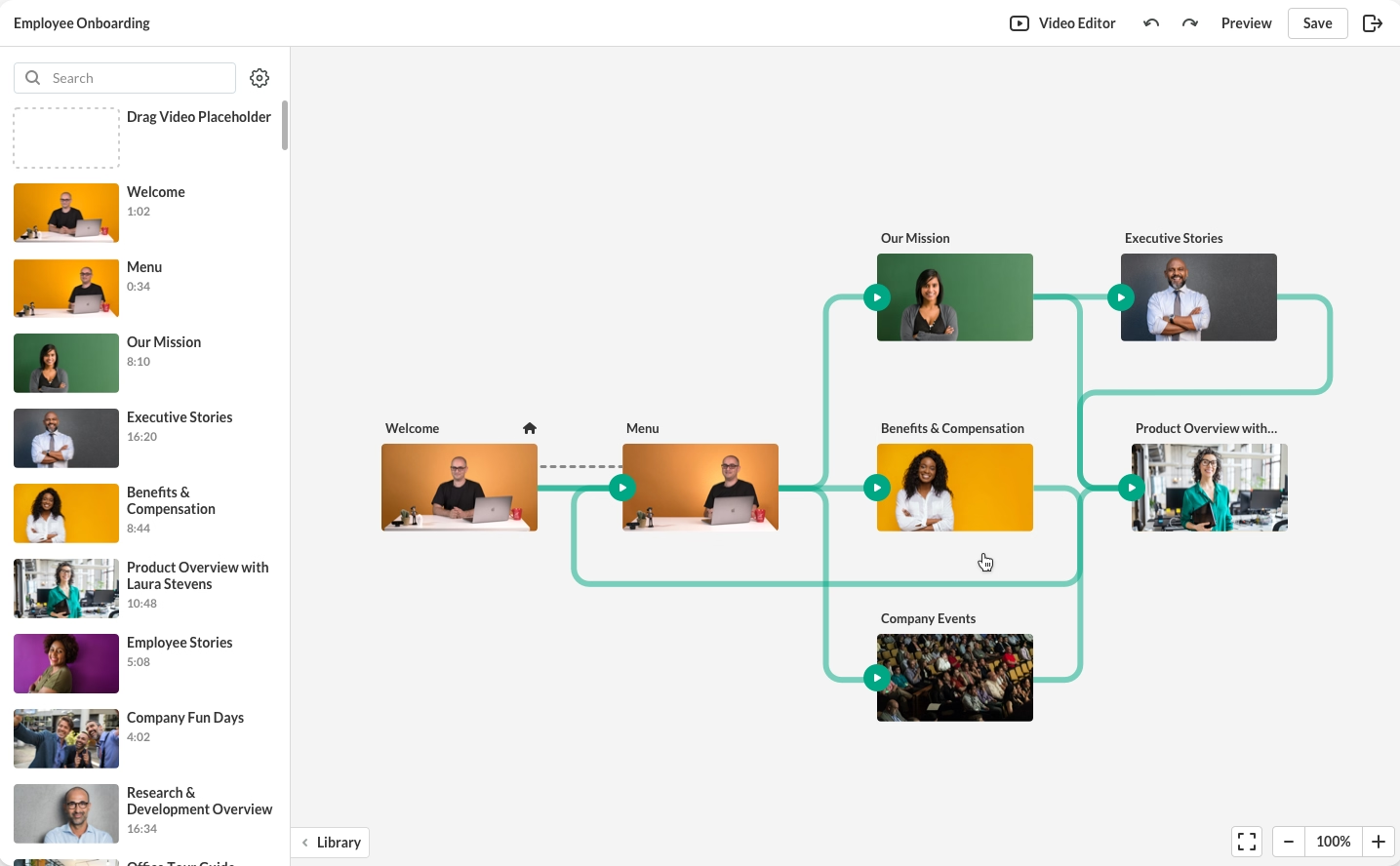
Best for: Large organizations already running Kaltura as their video management infrastructure.
Kaltura's interactive video path adds hotspot-driven branching, choice overlays, and deep analytics to its existing video platform. The LMS integrations and analytics reporting are strong, and the platform handles security and video management at scale. The limitation: interactivity is a layer added to a video management system, not a ground-up L&D authoring tool. Implementation requires IT involvement and meaningful onboarding time. For teams already inside the Kaltura ecosystem, it makes sense. For everyone else, the complexity-to-value ratio is high.
4. Brightcove Interactivity

Best for: Organizations using Brightcove for video hosting that want basic training interactivity without switching platforms.
Brightcove started as a video monetization and marketing platform — and its interactivity features reflect that heritage. In-video overlays, CTAs, chapter markers, and analytics are available, but the branching depth is limited compared to dedicated L&D tools. Teams that produce training content alongside marketing video will find it convenient. Teams whose primary use case is learner comprehension and skills development will hit its ceiling quickly.
5. PlayPosit by WeVideo
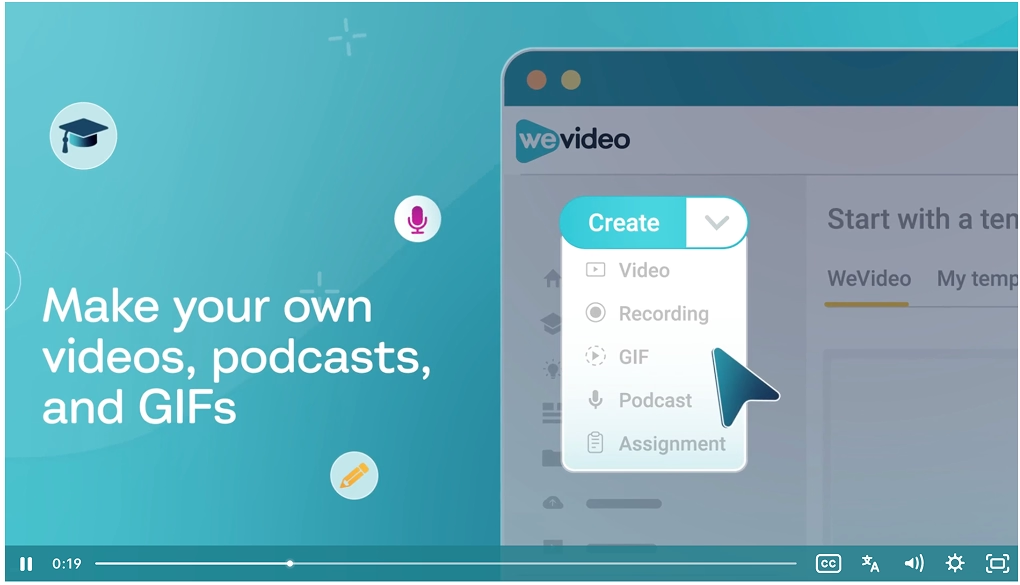
Best for: Organizations using Canvas or similar LMS platforms who need native gradebook synchronization.
PlayPosit's core strength is tight LMS integration. Embedded questions pause video playback, require correct responses to continue, and sync scores directly to a Canvas gradebook via LTI. The branching logic (called Branched Learning) lets learners jump between content segments based on quiz responses. It is a genuinely useful tool for instructor-led programs where accountability and grade tracking matter. The interface is academic-first — corporate L&D teams evaluating it should expect a steeper UX learning curve than newer platforms.
6. Vimeo Interactive

Best for: Teams already hosting video on Vimeo that want to test interactive features without buying a new platform.
Vimeo Interactive (formerly Wirewax Studio Lite) brings clickable hotspots and end-screen branching into the familiar Vimeo environment. If your team has a Vimeo library and wants to add a basic "choose your path" experience to one or two videos, the barrier to entry is low. The ceiling is also low: no mid-video branching depth, no SCORM compliance, no AI features, and limited analytics beyond click rates. Think of it as a proof-of-concept tool, not a training infrastructure.
7. H5P
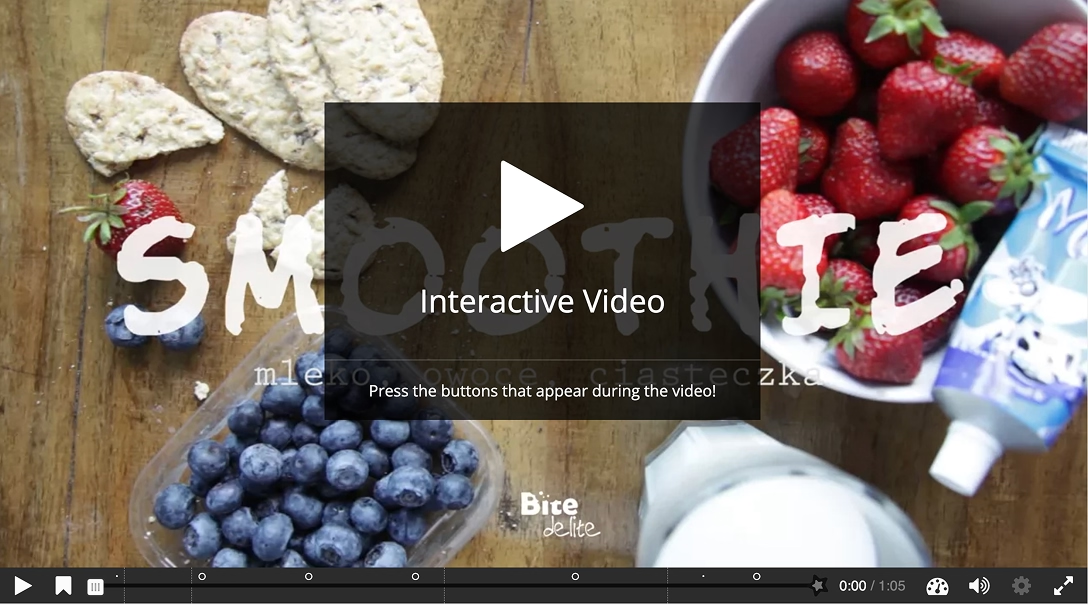
Best for: Budget-conscious teams with technical resources, or institutions running Moodle, WordPress, or Drupal.
H5P is free, open-source, and genuinely capable. The interactive video content type lets instructional designers embed quizzes, pop-up text, branching scenarios, and navigation jumps directly into a video timeline. There is no vendor lock-in, no per-seat pricing, and broad LMS compatibility. The cost is complexity: H5P requires a technical setup, ongoing maintenance, and produces functional rather than polished output. Teams without a developer will struggle to scale it. For institutions with IT support and limited budget, it remains one of the most flexible options available.
8. ThingLink
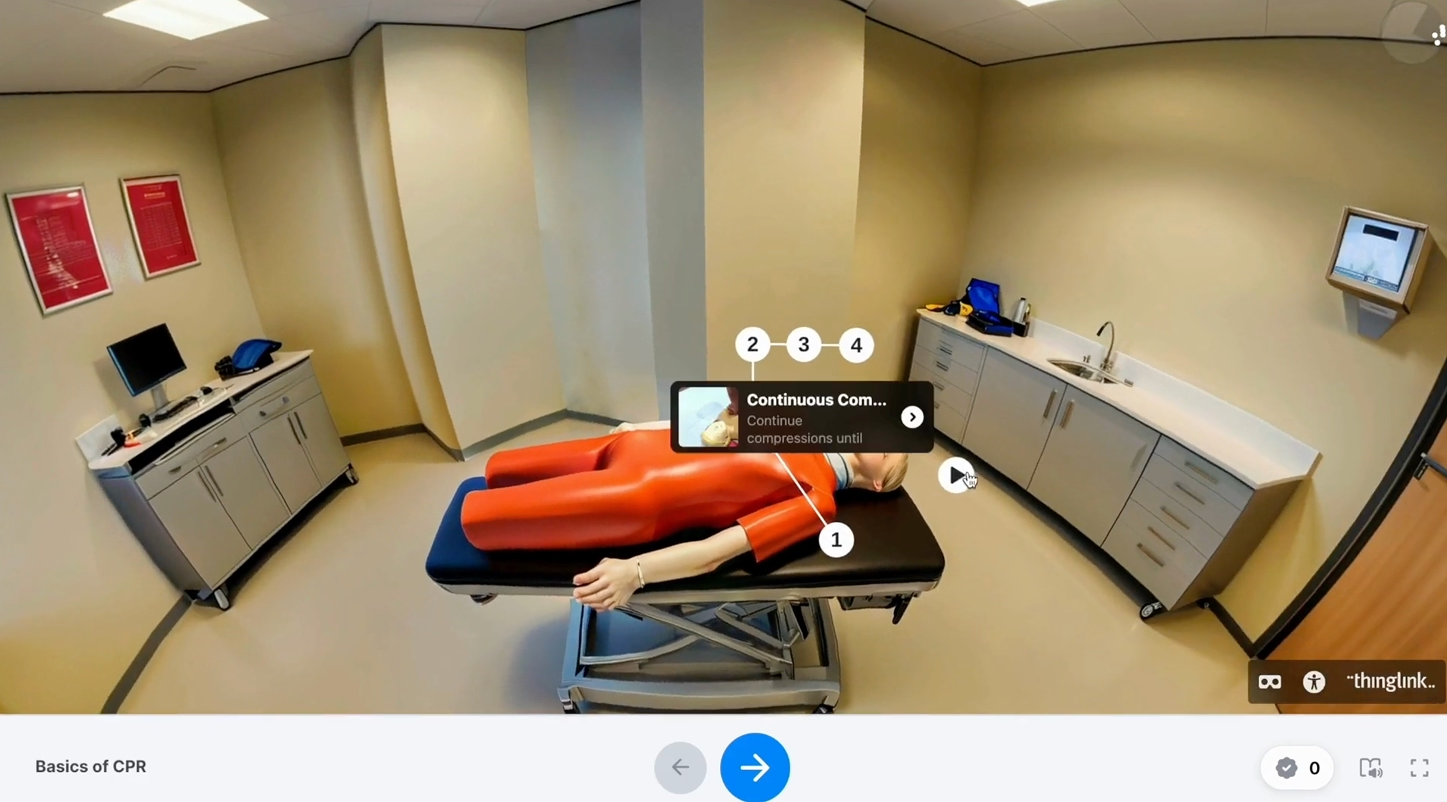
Best for: Training scenarios involving 360° environments, spatial orientation, or immersive equipment simulations.
ThingLink built its name on annotating images with hotspots, and has extended that capability into 360° video and VR-compatible output. The practical application: safety training walkthroughs, retail floor simulations, manufacturing equipment orientation. The scenario builder handles branching at a basic level. Where ThingLink falls short is sequential narrative training — it is environment-first, not story-first. Analytics are less granular than dedicated L&D platforms. For compliance programs or skills training that unfolds in a specific physical space, it is genuinely differentiated.
9. Edpuzzle
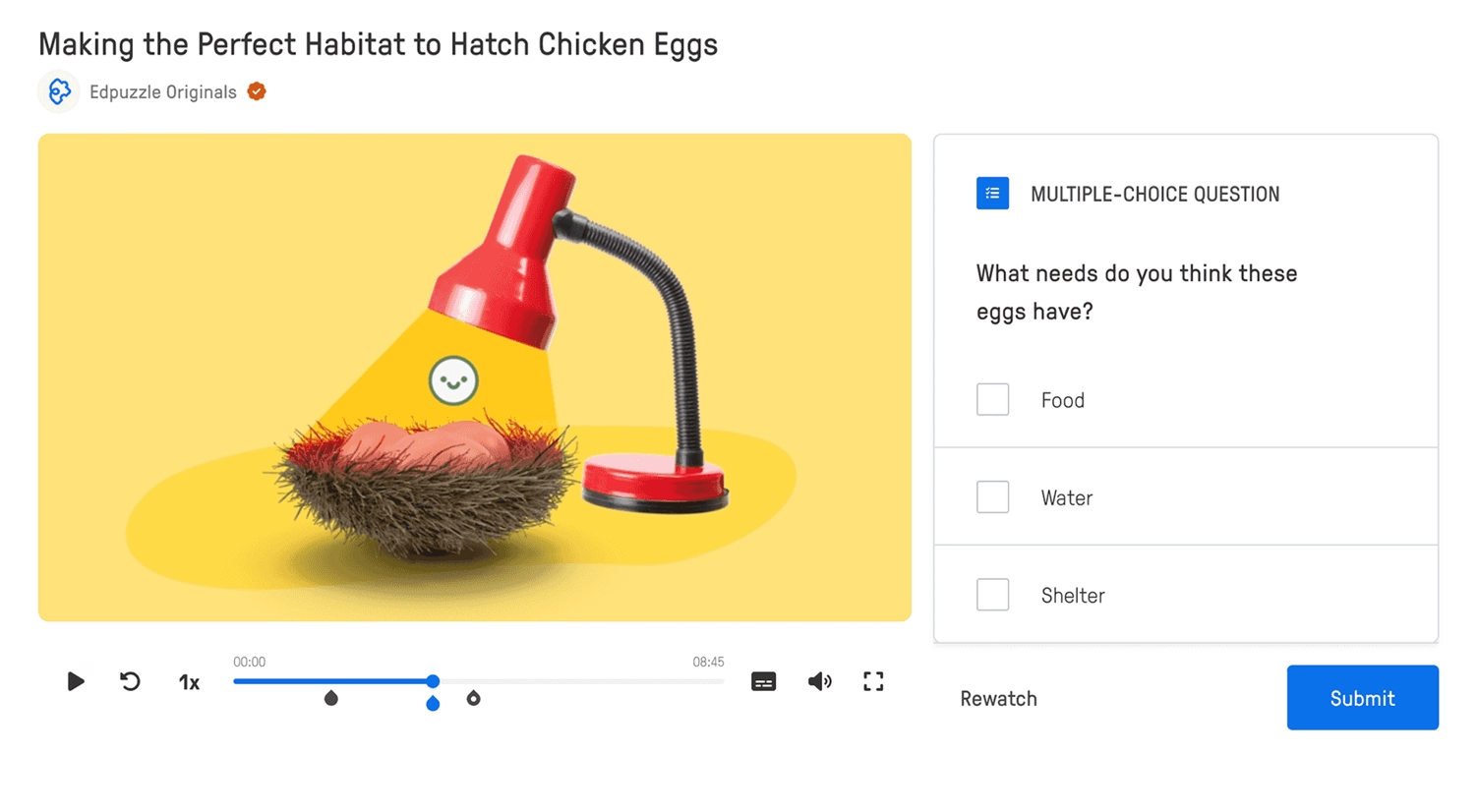
Best for: Instructional designers who need strict video accountability — where skipping is not an option.
Edpuzzle's defining feature is the video lock: learners cannot skip ahead without watching and responding to embedded questions. Combine that with a detailed analytics dashboard showing who watched, how many times they rewatched specific segments, and how they answered each question — and you have a powerful accountability tool for onboarding, compliance, and professional development. The limitation is branching sophistication. Edpuzzle is a video assessment tool, not a full branching authoring platform. Strong on accountability, lighter on personalized learning paths.
10. Synthesia
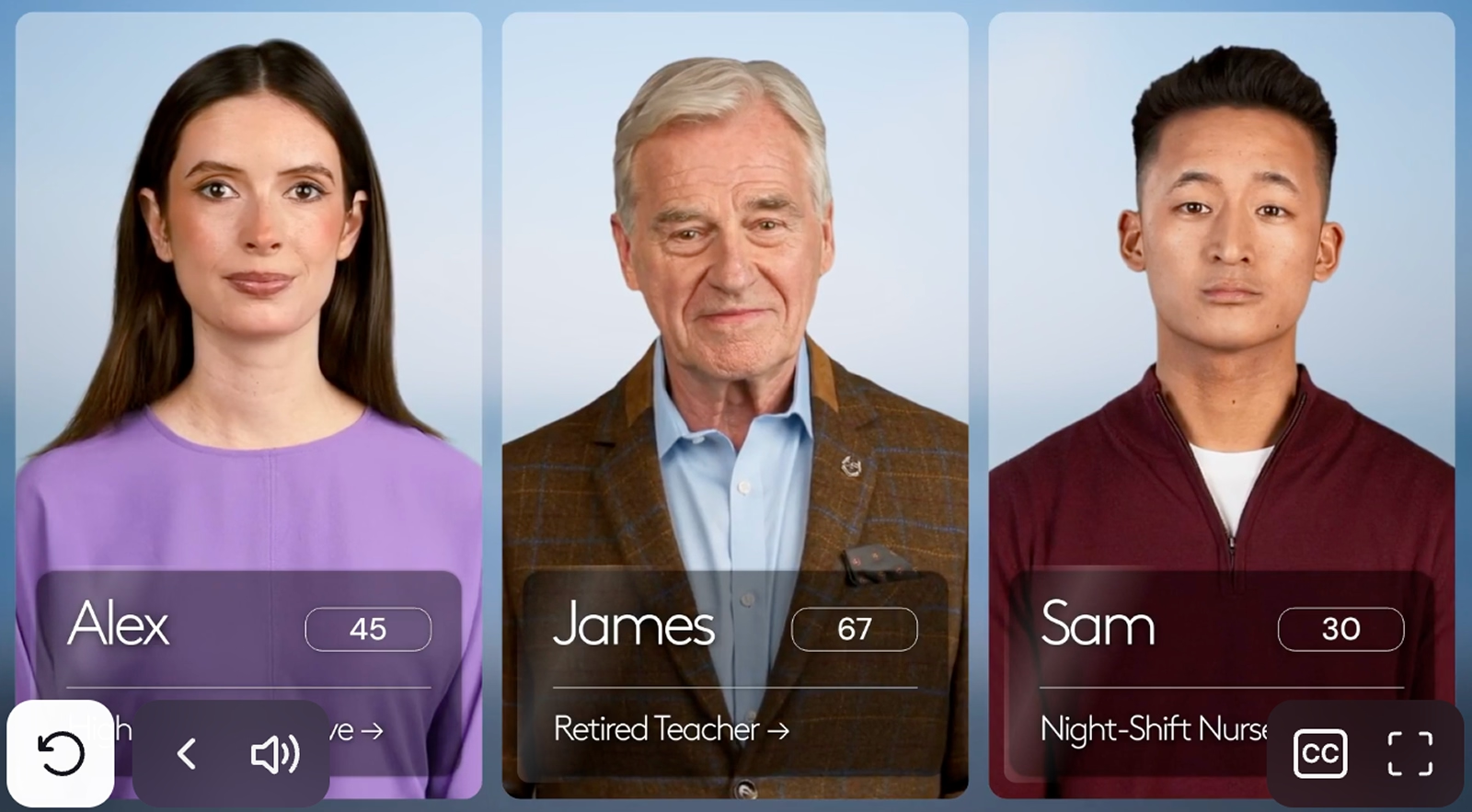
Best for: L&D teams that need to produce polished, multilingual AI avatar content fast — and then layer interactivity on top with another tool.
Synthesia is an AI video creation platform, not an interactive video platform in the branching sense. It excels at producing professional presenter-style training content using AI avatars across 140+ languages — the right tool for fast-changing compliance content that would otherwise require expensive reshoots. The honest framing: Synthesia generates the video. Interactivity — branching, analytics, SCORM compliance — has to be added by integrating with a platform like Clixie. Used together, the two tools cover the full production and delivery lifecycle.
Once your Synthesia content is built, learn how to build your first interactive training video inside Clixie — no coding required.
How to Choose the Right Interactive Video Platform for Your L&D Team
Choosing an interactive training video platform means evaluating four variables that directly predict training outcomes: branching depth, analytics granularity, LMS and SCORM compliance, and AI capability.
The table below cuts through the noise:
Comparison table of 10 interactive video platforms for corporate training including Clixie AI, Mindstamp, Kaltura, H5P, and more — 2026
Three-step decision shortcut:
- What is your primary use case? Branching skills scenarios → Clixie, PlayPosit, or H5P. Immersive simulations → ThingLink. Fast multilingual content production → Synthesia + Clixie. Pure video assessment → Edpuzzle.
- What is your scale? Multi-region, multilingual programs need AI localization and program-scale analytics — Clixie. Single-department pilot with modest budget — Mindstamp or H5P.
- What does your LMS require? SCORM 1.2 or xAPI compliance narrows the field to Clixie, Kaltura, PlayPosit, and H5P.
Once you pick a platform, the next question is how to track whether it is actually working. That starts with calculating your video retention rate — before and after switching formats.
Clixie AI — Where Interactive Video Meets Measurable Training ROI
Clixie AI is an interactive video platform built for L&D teams that need branching, AI automation, and SCORM-compliant learner analytics in one integrated system — not bolted together from three separate tools.
I have seen the pattern enough times to call it clearly: most training programs struggle not with content quality but with measurement. L&D leaders know their onboarding video is good. They cannot prove it. They cannot tell a CFO which module produced the behavior change, which learner needs a follow-up, or whether the Spanish-language version performed differently than the English one. Clixie closes that loop.
Here is what the platform actually does, in L&D terms:
- AI auto-segmentation breaks any uploaded video into chapters of three minutes or less — matching modern attention spans and microlearning best practices without manual editing.
- Branching paths let you build choose-your-own-adventure training flows. A learner who identifies the correct compliance response routes to advanced content. A learner who gets it wrong routes to a remediation module — automatically, without an instructor in the room.
- Timed CTAs and hotspots capture intent at the moment of peak engagement, mid-video.
- 65+ language localization means a single training build can deploy across global teams without a separate production run for each market.
- SCORM 1.2 and xAPI compliance means every branching decision, quiz score, and completion event goes directly into your LMS record. The Kirkpatrick data is not something you have to reconstruct after the fact — it is generated in real time.
- Cisco Webex and Zoom integration means recorded live sessions do not become dead assets. They become interactive training modules within hours of the meeting ending.
Clixie AI platform showing a branching decision point in a corporate training video with multiple learner paths and embedded quiz checkpoint
The Architect's Advice: I’ve built dozens of these content blueprints, and the most common trap L&D teams fall into when launching their first branching video is what I call "decision fatigue." They try to map out 15 complex, interwoven branches in a single 10-minute module. The sweet spot for managing cognitive load is one meaningful decision point every 2 to 3 minutes. Keep the routing logic simple for your pilot: correct (advance), incorrect (remediate), and review.
Want a head start? Grab a free interactive video template built for corporate training — pre-loaded with branching logic, quiz checkpoints, and an analytics dashboard ready to connect to your LMS. Get the free template →
Also worth reading: how Clixie and Cisco Webex turn passive recordings into active learning — and what 80% better knowledge retention actually looks like in practice.
How to Measure the ROI of Your Interactive Training Video Program
Measuring interactive training video ROI means tracking four Kirkpatrick levels of evidence using the behavioral data your platform generates at every learner interaction point — not just whether the video was watched.
The Kirkpatrick Model maps directly onto what interactive video analytics produce:
- Level 1 — Reaction: Did learners engage? Measure: video completion rate, hotspot click rate, time-in-video vs. time-skipped.
- Level 2 — Learning: Did knowledge transfer? Measure: in-video quiz scores, branching path accuracy (did they choose the right response?), retake rates on failed checkpoints.
- Level 3 — Behavior: Did on-the-job behavior change? Measure: follow-up assessments, manager observation data, performance metric shifts post-training.
- Level 4 — Results: Did the business move? Measure: sales conversion rates for sales training, incident rates for safety training, onboarding time-to-productivity for new hires.
SCORM 1.2 and xAPI are the data pipeline between your interactive video platform and your LMS. Every branching choice, every quiz attempt, every hotspot interaction is a data point. Platforms like Clixie generate this data automatically. Platforms like Vimeo Interactive or Edpuzzle generate partial data. Passive video generates almost none.
The practical first step: before switching platforms, understand what training engagement really means and establish a baseline completion and assessment score from your current program. That baseline is what you measure against six months after switching.
The Data Reveal: When I walk L&D directors through their Clixie dashboard for the first time, the metric that always makes their jaw drop isn't the overall completion rate—it’s the "Incorrect Path Selection" density. Standard eLearning simply tells you an employee failed a quiz. Clixie's analytics show you that 65% of your sales team chose the exact same wrong branching path during an objection-handling scenario. That isn't a failure of the learners; it's a spotlight on a specific gap in your training material that you can now surgically fix.
FAQ
What are some examples of interactive videos for corporate training?
Interactive video examples for corporate training include branching compliance scenarios (where learners choose how to handle a policy violation and see the consequence), sales role-play videos with embedded objection-handling choices, onboarding walkthroughs with checkpoint quizzes, 360° safety equipment simulations with hotspot navigation, and AI-generated multilingual product training with auto-segmented chapters. Platforms like Clixie AI, Mindstamp, Kaltura, and PlayPosit each enable these use cases at different levels of depth and scale.
What is the best tool for creating interactive training videos in 2026?
The best tool depends on your program scale and measurement needs. For L&D teams that need branching, SCORM-compliant analytics, and multilingual delivery in one platform, Clixie AI is the strongest end-to-end option. For smaller teams with basic interactivity needs and CRM integrations, Mindstamp is a solid entry point. For teams with technical resources and no budget, H5P is the most flexible open-source choice.
How does interactive video improve knowledge retention?
Interactive video improves knowledge retention by converting passive viewing into active participation. When learners answer questions, make branching decisions, and receive immediate feedback mid-video, the brain encodes information more deeply — a principle confirmed by the ICAP Framework and quantified in retention studies showing 93.5% retention for active learners vs. 79% for passive viewers. The act of making a decision inside the video, rather than watching someone else make it, is what drives the gap.
What is branching video and why does it matter for L&D?
Branching video is an interactive video format where a learner's in-video choice determines which content segment plays next. In practice: a compliance training video presents a scenario, asks the learner to choose a response, and routes them to either an advanced module (correct answer) or a remediation explanation (incorrect answer). For L&D teams, branching matters because it replicates the real-world consequence of a decision — making training feel less like a test and more like a simulation.
What is the difference between interactive video and standard eLearning?
Standard eLearning separates video from assessment — learners watch a module, then take a quiz afterward. Interactive video collapses that gap: questions, decisions, and feedback happen inside the video timeline in real time. The practical difference is engagement depth and data quality. Standard eLearning tells you a learner passed. Interactive video tells you which decisions they made, which concepts they struggled with, and how many attempts they needed at each checkpoint.
Conclusion
Passive training video had a good run. The completion theater — where employees tick a box, L&D reports green, and no one can actually measure behavior change — is now optional. The tools to replace it are mature, affordable, and proven.
The 10 platforms in this guide cover the full range: from free and open-source (H5P) to production-speed AI content (Synthesia) to purpose-built training infrastructure with analytics that can answer a CFO's questions (Clixie AI). The right choice depends on your use case, your LMS, and whether measurement is a priority or an afterthought.
If measurement is the priority — and for most L&D leaders, it has to be — start where the data is deepest. Branching paths, SCORM-compliant analytics, and AI-generated interactivity in one platform is not the future of corporate training. It is the present, and it is available to test today.
Start your 7-day free trial — no credit card required. Build your first branching interactive training video inside Clixie AI and see your learner data populate in real time. Start Free Trial →
.png)
.png)



.avif)