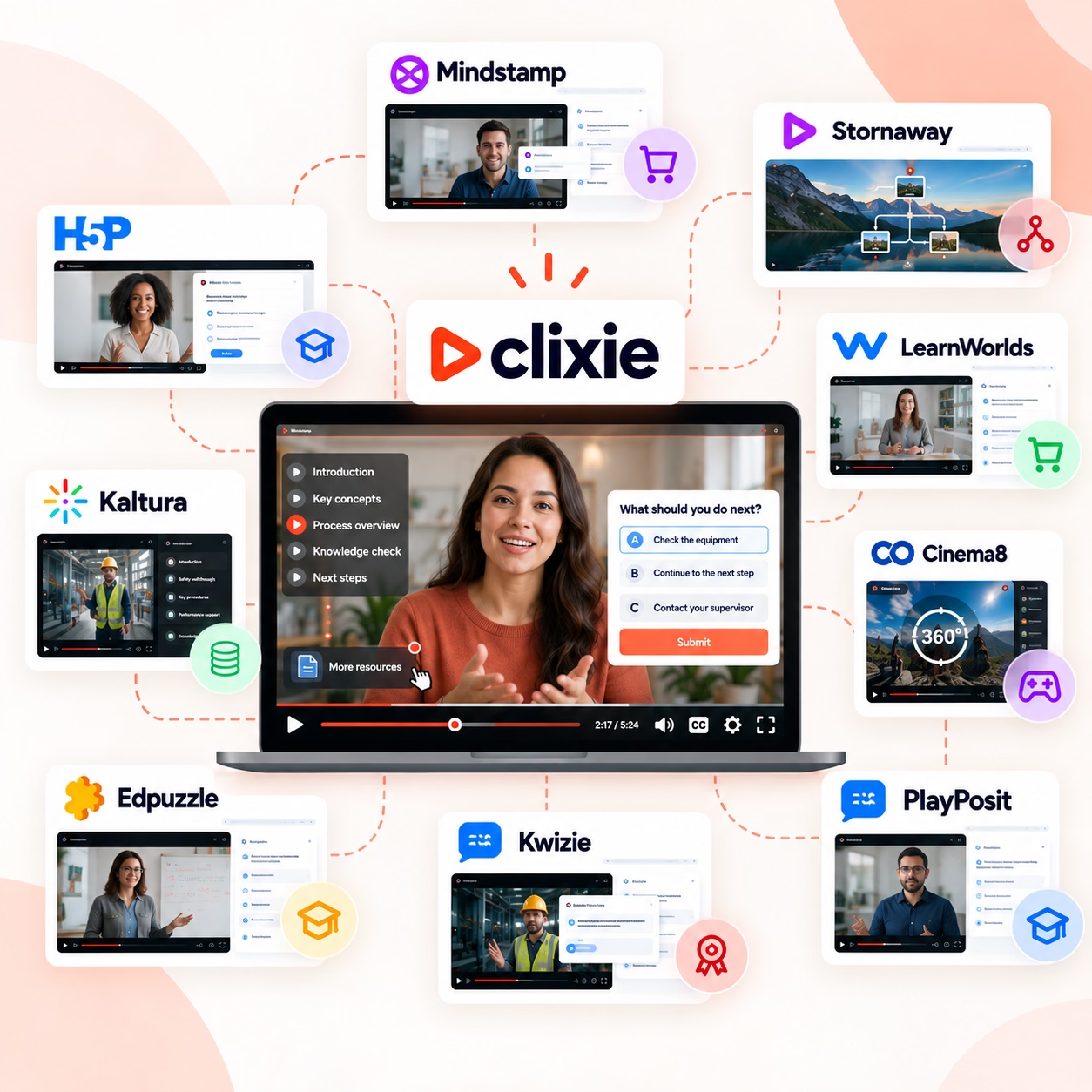
Stop Manually Updating Your LMS: Automating Video Training Data
Interactive video LMS integration automates training data updates and CRM workflows in real time. Stop exporting CSVs manually — see how Clixie.ai works.


TL;DR
- Interactive video platforms automatically update LMS completion records and trigger CRM workflows from viewer behavior — no manual exports required.
- Every quiz answer, branching decision, and training checkpoint a viewer hits becomes a live data signal sent to connected systems.
- Automating LMS updates eliminates CSV exports, spreadsheet reconciliation, and delayed follow-up sequences that slow training teams.
- LMS automation strategies can reduce training administration effort by up to 75%, according to Docebo.
- Clixie.ai connects interactive video directly to LMS platforms and marketing automation tools using established compatibility standards.
Who this is for: L&D teams, compliance managers, LMS administrators, HR training leaders, and enablement teams managing video-based training at scale.
Key Takeaways
- Interactive video LMS integration is a workflow automation layer that routes viewer behavior data directly into learning management systems without manual input.
- Branching video automation is the process by which a viewer's in-video decision triggers a segmentation tag, CRM update, or follow-up workflow in a connected marketing platform.
- LMS completion automation removes the manual step of exporting learner data and updating records by connecting video interactions directly to the LMS reporting layer.
- Interactive video CRM integration allows teams to segment viewers based on actual behavior — product interest, quiz performance, decision paths — and launch targeted follow-up sequences instantly.
- xAPI is a learner data standard that captures granular interaction events, including branching decisions and quiz responses, and sends them to connected platforms in real time.
Introduction
Knowledge workers spend more than 40% of their time on manual digital administrative tasks. For training teams, one of the most persistent offenders is the LMS update cycle: export a CSV, upload it to the platform, reconcile the errors, then manually trigger whatever follows.
The goal is not more video analytics. The goal is fewer manual updates and faster downstream action.
That process exists because most video tools do not communicate with anything external. They play, they end, and the data stays inside them. The training team becomes the data pipeline.
The breaking point, in practice, is almost always the same. A compliance deadline arrives. Leadership asks for a real-time status report. The answer is that the data is 72 hours behind because no one has processed the latest export batch. That lag does not just delay reporting — it pauses onboarding sequences, holds workers off the floor, and exposes organizations to audit risk. When a team manages a few dozen learners, a weekly CSV is annoying but manageable. When scale hits hundreds or thousands of learners across multiple departments, the manual handoff collapses under its own weight.
Interactive video changes that infrastructure. When a learner watches a branching training video, answers a quiz, or passes a compliance checkpoint, that data moves automatically into the LMS, the CRM, and any connected workflow — in real time. No export. No manual step.
This post covers exactly how interactive video LMS integration eliminates the manual work — from the moment a viewer makes a decision in a branching video to the moment the LMS record updates and the follow-up sequence fires on its own.
Book a Clixie.ai demo to see how interactive video can automate LMS updates.
Understanding what viewers actually do inside a video starts with interactive video analytics — the behavioral layer most training teams are not yet using. If you are evaluating this infrastructure shift, the case for interactive video for corporate training covers the operational argument in detail.
Which Interactive Video Platforms Integrate with LMS and Marketing Automation?
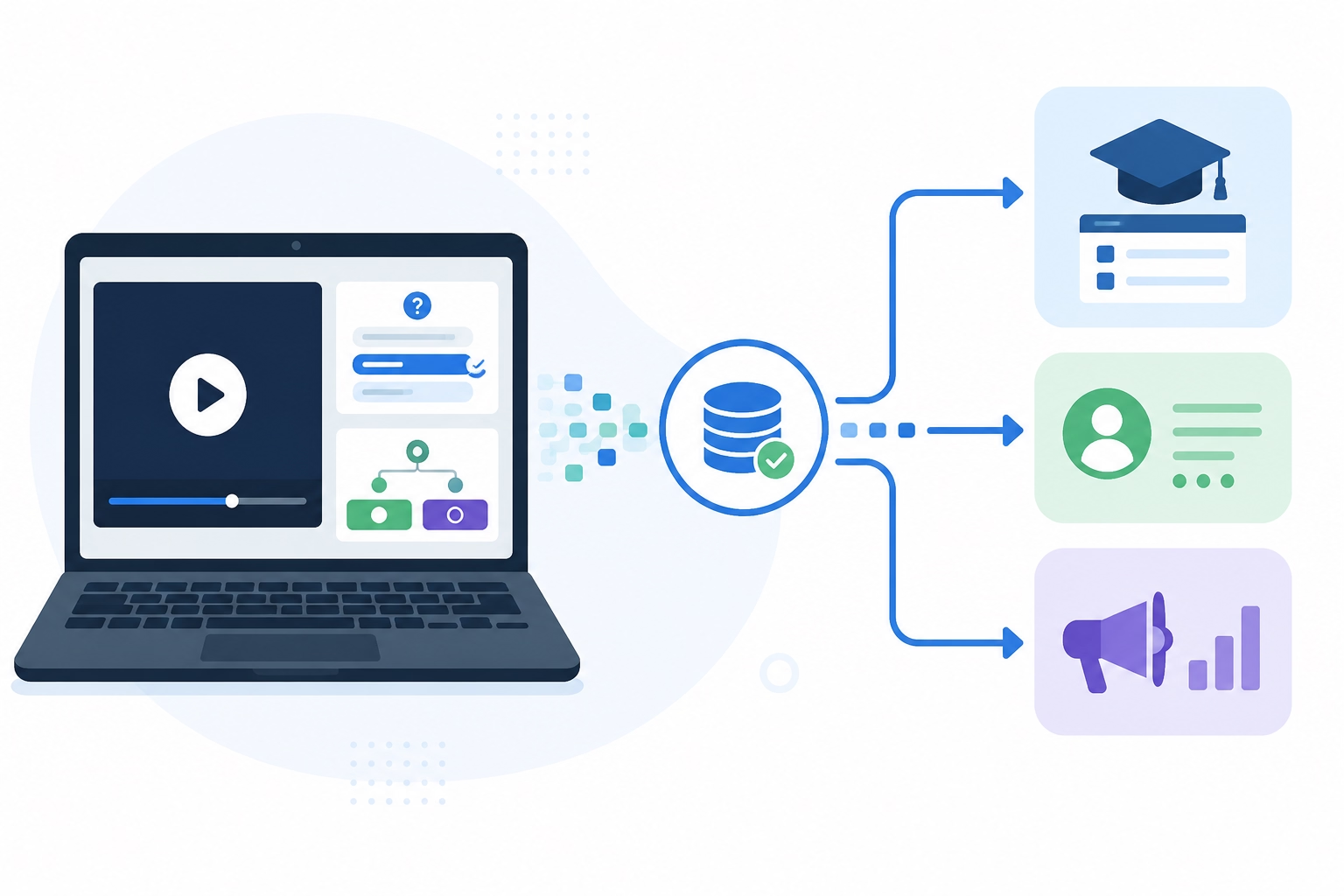
Clixie.ai is built to connect interactive video data with LMS and marketing automation workflows. Instead of manually exporting viewer data, in-video quiz scores and decision paths automatically update LMS completion records and trigger targeted follow-up sequences in real time.
Interactive video LMS integration is a direct connection between viewer behavior and the systems that track, report, and act on that behavior. The platform captures what a learner does — which path they took, how they scored, where they stopped — and sends that data to your LMS and CRM without anyone pulling a report.
Most standard video players record a view. An interactive video platform records a decision, a score, a checkpoint, and a behavioral signal. Those are fundamentally different data types. Only one of them can drive automation.
Clixie.ai is designed to integrate with major LMS platforms and CRM tools across the training and revenue operations stack. Confirm current supported platforms with the Clixie.ai team before implementation, as the integration library continues to expand.
The integration that consistently recovers the most administrative time in client deployments is the Clixie-to-CRM xAPI mapping. In a legacy setup, a user watches a compliance or product training video and a manager manually cross-references their quiz scores against an employee roster to update their profile. Through Clixie's direct webhooks and xAPI streams, those events update the CRM record instantly. One client recovered over 25 hours a week of administrative data entry by automating this single connection.
What distinguishes platforms built for automation from those that offer integration as a secondary feature is how data moves. The viewer interaction should trigger the system update. The system update should trigger the workflow. No human step belongs in the middle.
How Do Interactive Videos Trigger Automated Workflows?
When a viewer makes a choice in a branching video, that specific interaction is tagged and sent to the connected marketing automation platform. Teams can instantly segment viewers based on actual behavior and trigger the follow-up process automatically — without manually sorting responses or building segments by hand.
Branching video automation is the process of converting a viewer's in-video decision into a CRM segmentation event or a follow-up trigger.
Here is how the workflow chain operates:
Viewer completes training checkpoint → LMS record updated in real time → CRM contact tagged with behavior data → automated follow-up sequence launched → manager or HR system notified
Every step in that chain is a task that no longer requires a human to perform it.
Here is a concrete deployment example. A medical device manufacturer used Clixie.ai for sales representative product enablement. A rep watched a branching video about a new surgical tool. At the two-minute mark, a branching node asked: "Which department are you pitching to?" The rep selected Orthopedics. Later in the video, a quiz checked their compliance knowledge on orthopedic-specific regulations. They scored 90%. The moment the quiz completed, Clixie passed the event data to two systems simultaneously. In the LMS, the module was marked complete and the Orthopedic Product Certification was stamped onto their profile. In the CRM, the contact record was updated with the tag Product_Enablement_Ortho_Passed. That tag immediately triggered a workflow delivering the rep's localized orthopedic sales collateral and scheduling a practical evaluation with their regional manager. No human step occurred between the quiz completion and the follow-up sequence firing.
According to Storyteq, behavioral triggers in marketing automation use conditional logic to deliver the right response at the right moment — which is precisely what makes interactive video a natural integration point for any CRM platform.
For a closer look at how branching video scenarios work inside a structured training program, Clixie.ai's guide to scenario-based training covers the decision architecture in detail.
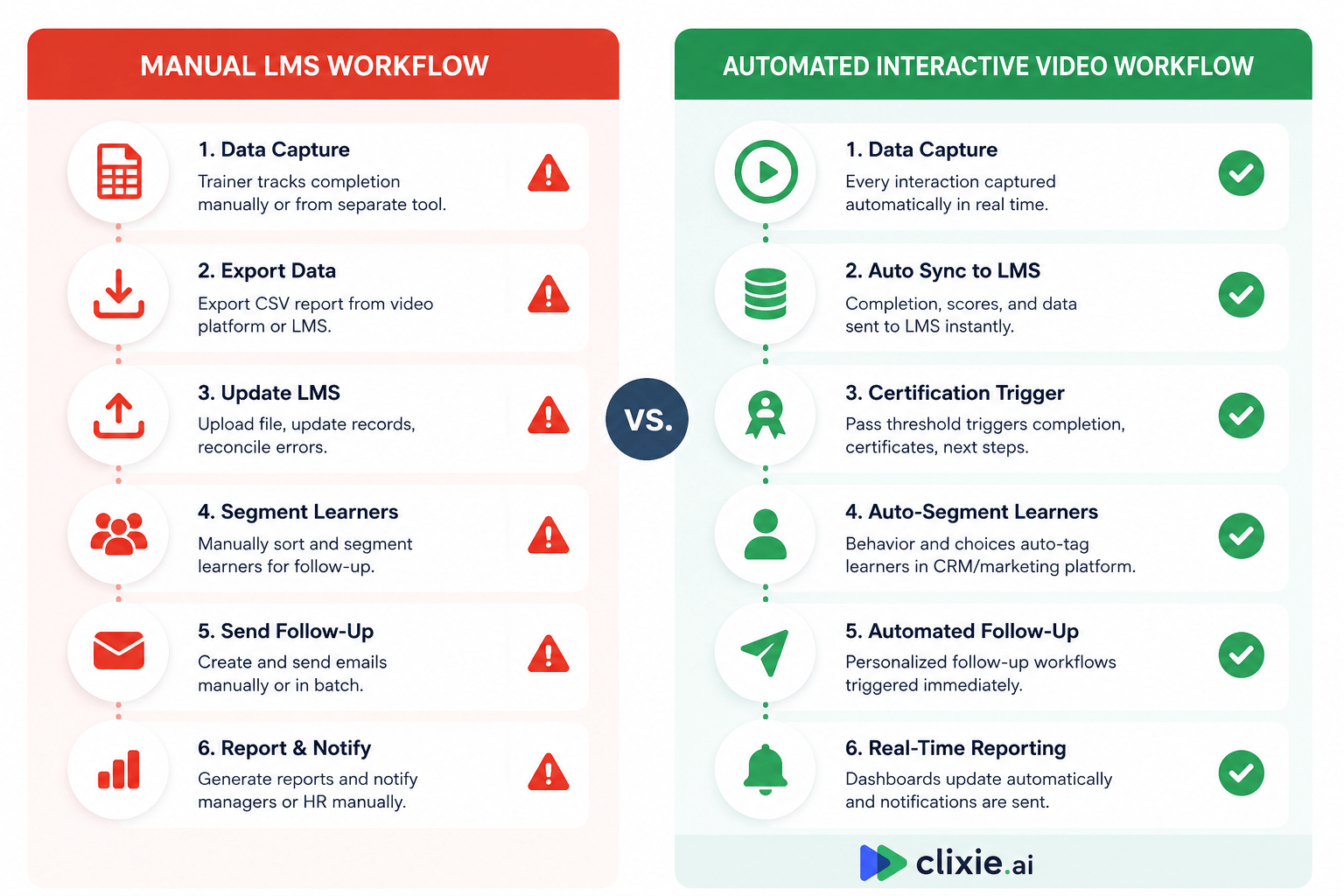
Manual LMS Workflow vs. Automated Interactive Video Workflow
The difference between a manual LMS workflow and an automated one is not just speed. It is the elimination of an entire category of administrative work that training teams perform by hand every training cycle.
The manual column is not describing bad practice. It is describing how most training teams operate today. The automated column describes what happens when interactive video becomes the operational data infrastructure for training — the layer that connects what a learner does to what every connected system knows about it.
The gap between when a learner completes training and when the LMS records it is where compliance risk, reporting errors, and delayed follow-up accumulate. Closing that gap is what interactive video automation actually does.
Knowledge workers spend more than 40% of their time on manual digital administrative processes, with data entry among the most time-consuming, according to Simply Flows. The table above maps exactly where that time goes in a training context — and what replaces it.
For more on what training engagement data actually measures versus what automated systems can track in real time, see Clixie.ai's definition guide.
What Should Teams Look for in an Interactive Video LMS Integration?
The right interactive video LMS integration does more than place a video inside a course. It automatically pushes viewer behavior data into LMS records, CRM segments, and follow-up workflows without any manual step between systems.
Teams evaluating platforms should filter against these six criteria:
1. Real-time LMS updates. Completion status, quiz scores, and checkpoint data should reach the LMS the moment the interaction happens — not on a scheduled sync or the following morning.
2. Branching decision tracking. Each path a viewer takes should be recorded as a distinct data event, not just a video "view." The platform should know not just that someone watched, but which choices they made and when.
3. CRM segmentation triggers. Viewer behavior should be able to fire segmentation rules, lead scoring updates, and workflow triggers in connected marketing automation platforms directly from the video event.
4. Compatibility standards. The platform should support SCORM and xAPI so it works with existing LMS infrastructure. SCORM handles completion and score reporting. xAPI captures granular interaction streams — including branching decisions and time-on-task — and sends that data to a Learning Record Store. The two standards cover different depth levels. Both matter for teams that want full behavioral data, not just pass/fail signals. eLearning Industry's guide to SCORM, xAPI, and LTI and iSpring Solutions' xAPI vs. SCORM comparison guide both cover what each standard tracks and when each applies in a corporate training context.
5. Automated certification workflows. Passing a final quiz or checkpoint should trigger certificate issuance, HR record updates, or next-module enrollment automatically — no training administrator manually approving each completion.
6. No manual exports. If your team downloads a CSV at any point in the process, the integration is not complete.
The most common gap in teams migrating from legacy setups is what could be called the flat-file mentality: treating video data as a single binary pass/fail event. A legacy configuration passes a URL wrapper via an iframe. The LMS knows the learner opened the page and spent time on it, but it has no way of knowing whether they fast-forwarded, muted the session, or failed the mid-video checkpoints. Teams that move to a full xAPI integration consistently discover they have been measuring the wrong thing. They did not need to know that a video was completed. They needed to know how it was completed — which decisions were made, which checkpoints were passed, and where each learner struggled. Moving from a flat completion signal to a full behavioral data stream is the architectural shift that makes genuine automation possible.
How Much Administrative Work Can Automated Video Workflows Remove?
As an industry benchmark, LMS automation strategies can reduce training administration effort by up to 75%, according to Docebo's deployment research. The primary drivers are eliminating manual data entry, removing export-and-upload cycles, and replacing delayed batch follow-up with real-time triggers. These figures reflect outcomes across LMS automation implementations broadly — not claims specific to any single platform.
The case for automation is a labor case, not an engagement case.
The manual tasks that interactive video automation removes include: exporting completion data from the video platform, uploading it to the LMS, reconciling mismatches, notifying HR or managers when employees complete required modules, building follow-up email segments by hand, and producing compliance reports each reporting period.
A logistics and supply chain client using Clixie.ai to automate safety compliance video training reduced administrative overhead by $42,000 annually and cut new-hire onboarding time from seven business days to two. Because safety training data moved into their LMS the moment each module was completed, new hires were cleared for warehouse floor operations without the typical three-to-five-day data verification delay. The $42,000 figure reflects recovered administrative labor alone — it does not include the operational value of workers becoming productive five days earlier.
As a further benchmark, Docebo's research on compliance training automation found that organizations implementing LMS automation reduced compliance violations by up to 60% and improved onboarding efficiency by 30%. These are industry benchmarks from LMS automation deployments, included here as a reference point for the outcomes that automation-first training workflows can produce.
According to Research.com, 90% of L&D professionals report that video significantly improves engagement and knowledge retention — but the operational argument for adoption is the stronger one: fewer administration hours, faster onboarding cycles, fewer reporting errors, and real-time compliance visibility.
For a wider view of how training automation is reshaping L&D operations, see Clixie.ai's guide to building training content faster with AI.
Why Companies Are Replacing Manual Training Workflows with Interactive Video Automation
Training teams are not adopting interactive video because it produces more engaging content. They are adopting it because it eliminates a manual data layer while generating behavioral signals their LMS and CRM systems can act on immediately.
The shift is not from passive video to interactive video. It is from manual data pipelines to automated ones.
The global LMS market reached an estimated $28.58 billion in 2025, with 77% of vendors citing video as a critical feature among platform buyers, according to Research.com. The buying decision is increasingly operational rather than pedagogical. The question is not "will learners find this more interesting" — it is "what manual process does this eliminate and what does it trigger automatically."
The use cases driving adoption are compliance training, employee onboarding, customer training, and sales enablement — all contexts where training session data needs to reach another system quickly and accurately. The hidden cost of staying manual is not only time. It is compliance audit risk when LMS records lag behind completions, delayed onboarding when certifications do not issue immediately, and follow-up sequences that never fire because no one ran the export.
Interactive video automation converts training into a connected operational data infrastructure — where viewer behavior drives LMS updates, CRM records, HR notifications, and follow-up workflows without anyone in the middle.
See how AI in corporate learning is accelerating this operational shift across L&D teams.
How Clixie.ai Connects Interactive Video to LMS and CRM Workflows
Clixie.ai connects interactive video directly to LMS platforms and marketing automation tools — automatically updating records, triggering workflows, and segmenting viewers from the moment they interact with a video.
The workflow runs across the full training or sales cycle without manual steps between stages. Before the session, a learner is assigned an interactive video through the LMS, with branching paths configured by role, department, or compliance requirement. During the video, every quiz answer, branching decision, and checkpoint is captured as a structured data event. At completion, a pass threshold triggers an automatic LMS record update — certifications issue, the next module queues, the HR system is notified.
Connected CRM and marketing automation platforms receive behavioral tags from the viewer's in-video choices. Those tags fire the appropriate follow-up sequence immediately, as shown in the medical device deployment described earlier: a single quiz completion simultaneously updated a certification record and triggered a CRM workflow — with zero human steps between them.
Clixie.ai uses SCORM and xAPI compatibility so it works with the LMS your team already runs, without requiring custom development. Confirm current supported platforms and integrations with the Clixie.ai team before implementation.
For interactive onboarding use cases, the same infrastructure applies to new hire flows — learner completes the onboarding module, HR record updates, manager is notified, next stage begins automatically.
Get a free interactive video workflow template.
FAQ
[Apply FAQPage Schema Markup]
Can interactive video update LMS records automatically?Yes. Interactive video platforms that support SCORM or xAPI update LMS records automatically when a viewer completes a quiz, passes a checkpoint, or finishes a branching scenario. No manual export is required.
Can branching videos trigger CRM workflows?Yes. When a viewer makes a decision in a branching video, that interaction is sent to the connected CRM as a tagged behavioral event. Marketing automation platforms use that tag to fire a follow-up sequence, update a lead score, or route the viewer to the appropriate track immediately.
Which LMS platforms support interactive video integrations?Most major LMS platforms support interactive video integrations through SCORM and xAPI standards. Clixie.ai is designed to work with LMS platforms across the major compliance, corporate training, and partner enablement categories. Confirm current supported platforms directly with the Clixie.ai team before implementation.
How do interactive videos improve compliance training?Interactive videos improve compliance training by automating the data layer. Quiz completions update LMS records and trigger certification workflows in real time — removing the manual verification and reporting steps that introduce compliance audit risk.
Can interactive videos segment leads automatically?Yes. A viewer's in-video choices — which product feature they select, which use case applies, how they score on a qualifying quiz — become CRM segmentation data. That data triggers the correct follow-up sequence automatically, without a team member manually sorting responses.
How do I automate LMS updates with interactive video?Connect an interactive video platform to your LMS using SCORM or xAPI compatibility. Configure pass/fail thresholds and completion rules inside the video. When a learner hits the trigger, the LMS record updates automatically and any connected workflows fire immediately.
Conclusion
Manual LMS workflows are not a training problem. They are a data infrastructure problem. Updates do not happen automatically because most video tools were never designed to communicate with external systems.
Interactive video LMS integration solves that at the source. Viewer behavior becomes the trigger. The LMS updates in real time. The CRM segments. The follow-up fires. The training team stops being the data pipeline and starts working with reporting that is always current — as demonstrated by clients who have cut onboarding timelines from seven days to two and recovered tens of thousands of dollars in annual administrative overhead.
The ability to automate LMS updates from interactive video is not a feature add-on. It is the function that makes training data operationally useful — the difference between a completion record that surfaces days later and a workflow that fires the moment a learner earns it.
Book a Clixie.ai demo and bring your current LMS setup. We'll identify the manual workflow that can be automated first.
.png)
.png)