


AI-Powered Keyword Research For Video SEO Success
Stop guessing what your viewers want. Learn how to use AI keyword research to uncover hidden search intent, outsmart competitors, and boost your Video SEO rankings from day one.



Video SEO doesn't start with keywords anymore. It starts with pressure. The pressure to publish fast. To stay relevant. To still show up exactly where attention is already forming. AI-powered keyword research stepped into that tension and changed the starting point in an almost unfair way.
That said, using AI for your video keyword research is easier said than done. One wrong move and you are right back on ideas that look promising but go nowhere. And that is the part we are going to fix. We will show you how to use raw AI output and create videos around the right keywords.
What Is Video SEO?
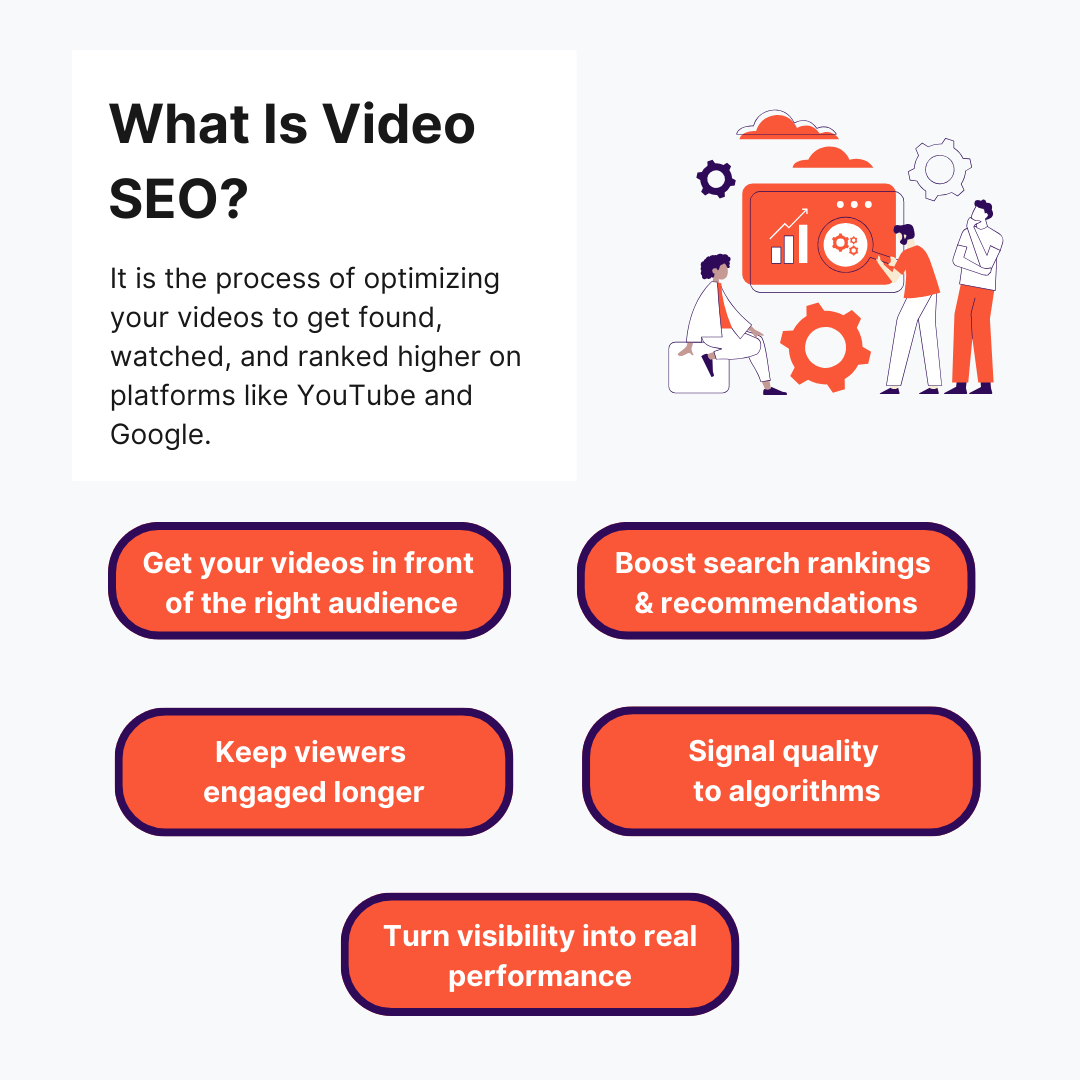
Video search engine optimization is the process of optimizing your videos so they show up in search results and get watched and ranked higher on platforms like YouTube and on search engines like Google.
Video SEO focuses on two outcomes: visibility and performance. First, your video needs to appear in search or recommendations. Then, it needs to hold attention long enough to signal quality.
Video SEO vs Content SEO: Understanding The Key Differences
Video SEO and content SEO aren’t the same, even if they sometimes look like it. Here are the real differences so you know exactly how to approach each without mixing them up.
Why You Should Use AI-Powered Keyword Research For Video SEO: 5 Benefits Explained
Let’s run through 5 ways AI keyword research gives your video marketing an edge you can’t ignore.
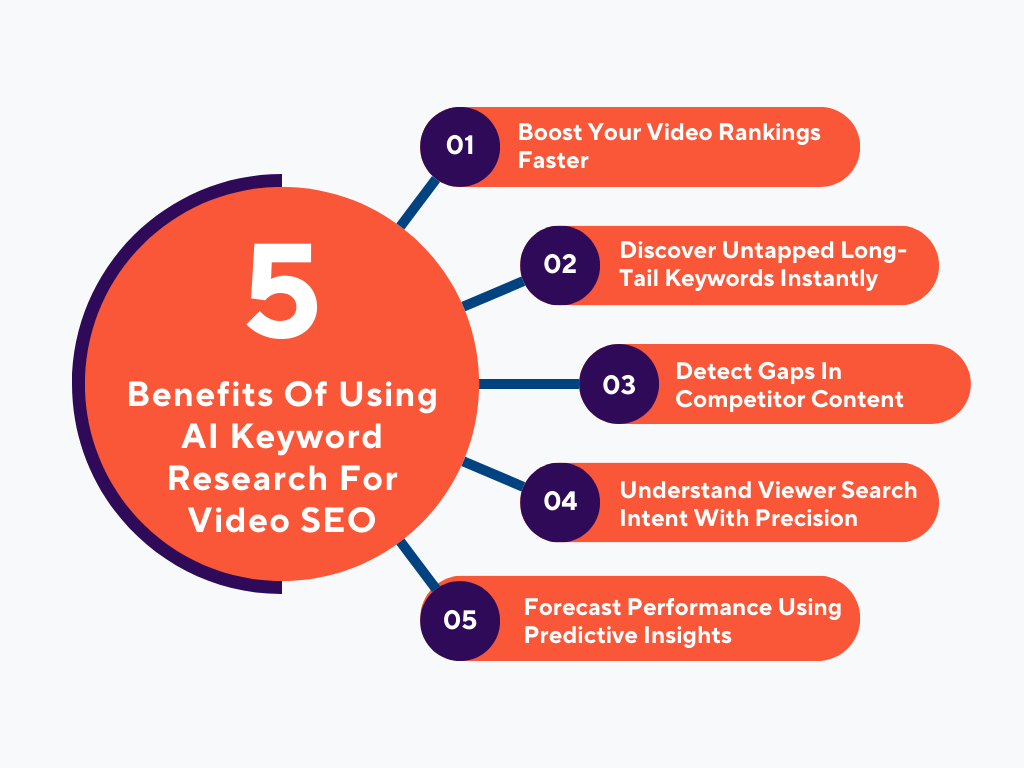
1. Boost Your Video Rankings Faster
You know that frustrating phase where your video is good… but it just loiters there? Like it never even got a fair shot? And the annoying part is, the top search result on YouTube usually gets around 40–60% of the total traffic, so if you are not showing up there, you are barely in the game.
AI keyword research gets you moving when nothing is happening.
Rather than hoping your video finds the right audience eventually, AI helps you line things up before you publish – so your video shows up in the search engine results page or YouTube’s search results from the start.
Not perfectly, but close enough that momentum actually begins. It is less “wait and see” and more “push things in the right direction immediately.”
This helps you increase your YouTube reach and get initial traction from the right audience. And that early push matters more than most people think, because YouTube pays attention to how your video performs in its first wave of exposure. If it gets clicks and watch time, it keeps showing it to more people.
2. Discover Untapped Long-Tail Keywords Instantly
The best traffic usually comes from searches that sound oddly specific. Not “fitness tips.” More like “why am I not losing weight despite working out daily.”
AI is ridiculously good at finding those oddly phrased, very human searches. In fact, it can cut your keyword research time by up to 80%. And the beauty is that those searches don’t feel competitive. They are personal. Like someone out there is literally waiting for your exact video. That is completely different than chasing big keywords everyone else is fighting over.
3. Detect Gaps In Competitor Content
When you manually check competitor videos, you see what they have done. AI shows you what they have ignored.
There is always this small pocket between popular videos – topics that almost got covered, questions that were half-answered, ideas that were rushed.
AI spots those patterns across dozens (or hundreds) of videos at once. And suddenly you are slipping into spaces they accidentally left open. And those spaces are where you look original without trying too hard.
4. Understand Viewer Search Intent With Precision
This is where things usually go wrong for creators. You think, “Okay, I used the keyword, I’m good.” But the viewer clicks your video and realizes this isn’t what they meant.
AI helps you avoid that mismatch.
It reads between the lines of searches – figuring out whether people want a quick answer, a deep explanation, a comparison, or even reassurance. That subtle difference changes everything about how your video should be. When you get this right, viewers stay.
5. Forecast Video Content Performance Using Predictive Insights
Most creators pick first, worry about results later. AI doesn’t eliminate uncertainty, but it shrinks it.
It gives you early signals. Like whether interest in a topic is quietly building, or if it has already peaked and you are late to it. You start noticing patterns like, “Oh… other videos like this tend to plateau quickly” or “This type usually snowballs after a few days.”
So instead of creating videos blindly, you start choosing your battles more carefully.
How To Run AI Keyword Research For Video SEO: 9 Proven Strategies
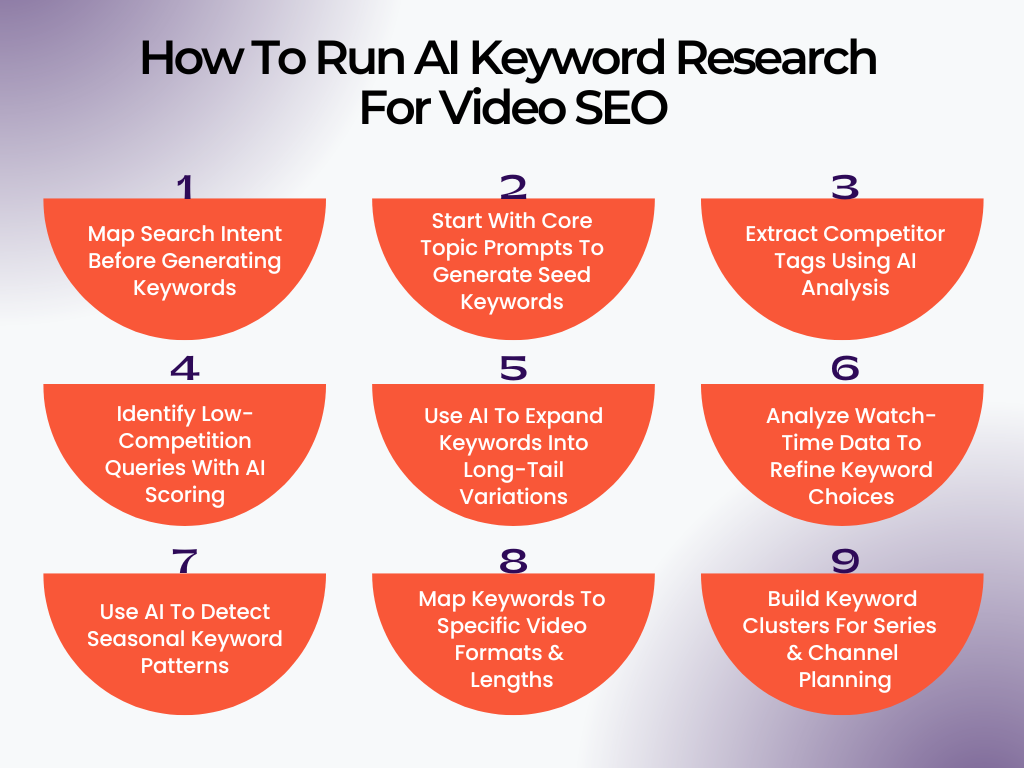
1. Map Search Intent Before Generating Keywords
Most people jump straight into “give me keywords.” That is backwards. If someone searches “iPhone camera settings for night”, they are stuck. They want a fix… and they want it fast. If your video opens with a long intro or goes off-topic, they are gone in seconds.
That is what search intent really is: the emotional and practical state of the viewer at the moment of search. AI becomes powerful here because it can convert target keywords into intent layers:
- urgency (quick fix vs deep learning)
- clarity (beginner confusion vs advanced optimization)
- expectation (demo, explanation, or comparison)
Do This:
- Take a keyword and ask AI: “What problem is the viewer trying to solve in the next 5 minutes?”
- Feed 10 keywords into AI and ask it to group them by viewer urgency level (urgent, exploratory, casual).
- Look at top-ranking videos on Google search results and ask AI: “What promise is being made in the first 10 seconds?”
- Write a one-line “viewer expectation statement” for each keyword before deciding to use it.
2. Start With Core Topic Prompts To Generate Seed Keywords
Here’s where most people accidentally sabotage AI: they give it lazy prompts. In fact, 70–80% of disappointing AI outputs are caused by avoidable prompt mistakes. If your input is vague, AI fills in the gaps with whatever it can find lying around online. Instead, treat your prompt like a brief you would give to a human researcher.
Bad prompt:
“YouTube video keywords for business”
Strong prompt:
“People struggling to get their first freelance client using Instagram in 30 days”
See the difference? One is a category. The other is a situation. AI thrives on situations, not topics.
Do This:
- Write your prompt using this formula: who + problem + context + constraint (e.g., beginner + low budget + time pressure).
- Ask AI: “Generate keywords that reflect real search phrasing, not SEO-style keywords.”
- Then push further: “Remove anything that sounds like a blog post title rather than a search query.”
- Take 3 outputs and ask: “What type of viewer would search each of these?” – this filters relevance instantly.
3. Extract Competitor Tags Using AI Analysis
Instead of thinking about what keywords you should use, shift to what language is already working – and why? When a video performs well, it is alignment – phrasing, positioning, specificity.
But manually scanning competitors and watching videos is a pain. AI can break down patterns across multiple videos in seconds. The real value is uncovering how topics are being framed.
Do This:
- Take 5 top videos and paste titles + descriptions into AI, then ask: “What phrasing patterns repeat across all of these?”
- Ask: “What words signal clarity vs curiosity in these titles?”
- Have AI extract missing angles – questions competitors didn’t answer.
- Ask: “If I wanted to stand out, what wording shift would make this feel new?”
4. Identify Low-Competition Queries With AI Scoring
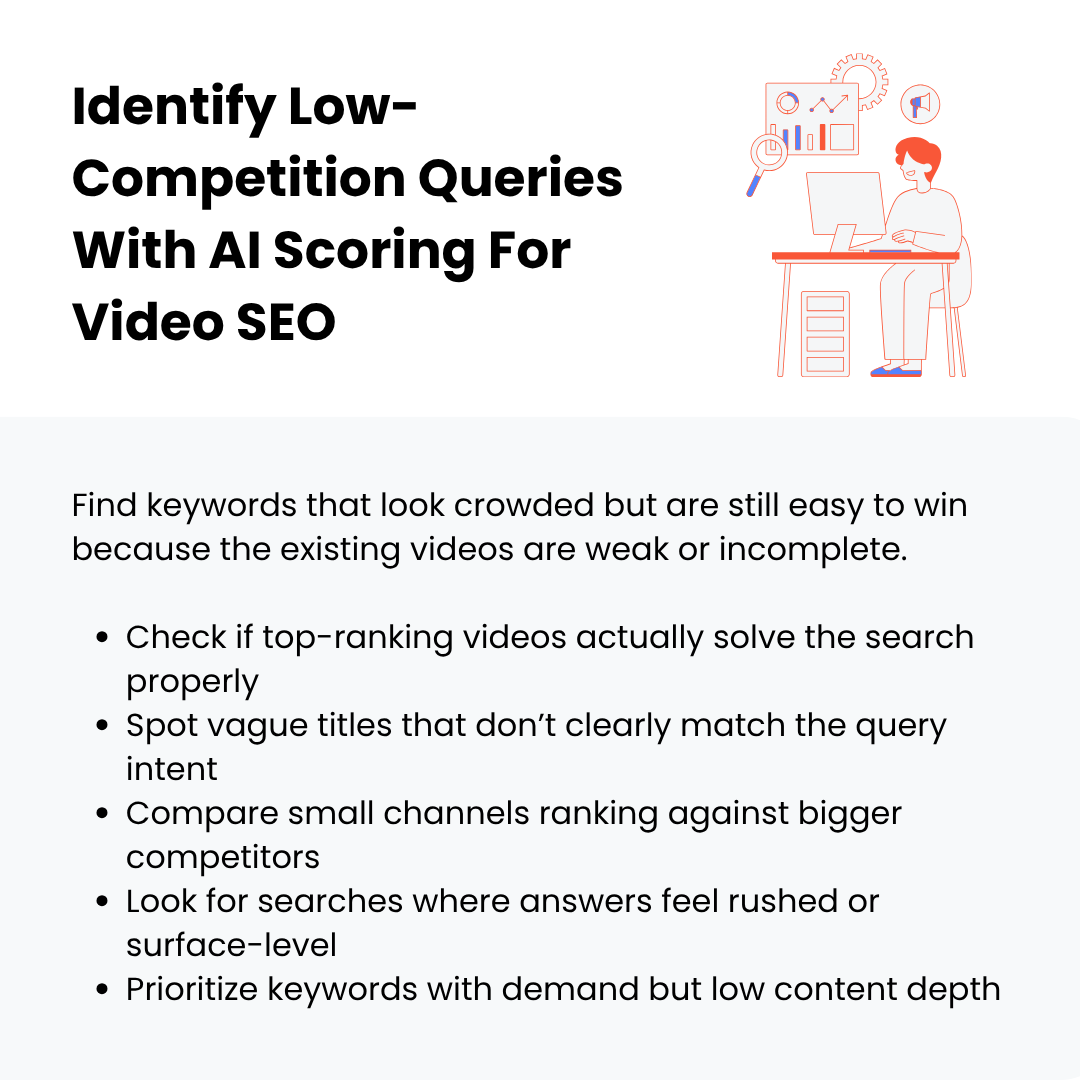
“Low competition” isn’t just about fewer videos – it is about weak competition. A keyword can have thousands of results, but if titles are vague or videos don’t fully answer the query, it is still winnable. AI can simulate a “difficulty score” by analyzing:
- Number of competing videos
- Channel sizes search ranking for it
- Title similarity density
You are aiming for that sweet spot: good search volume, low saturation.
Do This:
- Give AI 15 keywords and ask: “Rank these by estimated competition level (low, medium, high).”
- Ask: “Which of these keywords could a small or new YouTube channel realistically rank for?”
- Search your keyword manually and count how many online videos have <10k views. Then confirm with AI.
- Focus on keywords where AI suggests “underserved audience” or “low content depth.”
5. Use AI To Expand Keywords Into Long-Tail Variations
This is where you stop thinking in “keywords” and start thinking in conversations people are having with search. A long-tail keyword is more human.
Example shift:
- Short: “video editing”
- Long-tail: “how to edit videos faster without a powerful laptop”
Now you are connecting. AI is great at simulating how people phrase problems when they are frustrated or curious.
Do This:
- Ask AI: “Turn this keyword into real-life questions someone would type when stuck.”
- Then: “Add emotional context – confused, frustrated, beginner-level phrasing.”
- Filter results by asking: “Which of these feel like late-night panic searches?”
- Build separate videos for distinct problem variations instead of merging them.
6. Analyze Watch-Time Data To Refine Keyword Choices
Deny all you want, but some keywords bring the wrong audience. You might get clicks, but if viewers leave early, the algorithm notices. That usually means your keyword promised one thing, but your content delivered something else. AI can help you reverse-engineer that mismatch.
Do This:
- Take a high-retention video and ask AI: “What expectation does this title set, and how is it fulfilled?”
- Take a low-retention one and ask: “Where does expectation break?”
- Ask: “Which keywords attract curious viewers vs committed learners?”
- Prioritize keywords where the intent matches your natural content style.
7. Use AI To Detect Seasonal Keyword Patterns

Not all traffic is steady. Some of it comes in waves – exam periods, product launches, yearly habits (fitness, budgeting, etc.). Miss the timing, miss the traffic. AI can connect your niche to these patterns – even ones you might not notice.
Do This:
- Ask: “What events or time periods influence search behavior in this niche?”
- Then: “Which keywords spike before vs during these events?”
- Ask: “What high-quality content should be published early to capture rising interest?”
- Build a simple calendar based on AI’s predictions. And create and upload videos before the peak (not during).
8. Map Keywords To Specific Video Formats & Lengths
A keyword decides how you should present it. For example:
- “how to fix…” → short, direct
- “full guide…” → longer, detailed
- “top 5…” → list format
Mismatch format = lost viewer. AI can help you match keyword → format → structure.
Do This:
- Ask AI: “What video format works best for this keyword?”
- Study top results – note video length and structure patterns.
- Align your content depth with search expectations. Don’t over-explain simple queries.
- Create a format rulebook – e.g., “how-to = 5–8 min max.”
9. Build Keyword Clusters For Series & Channel Planning
This is where things level up from “posting videos” to actually building a channel. Instead of isolated uploads of the same video, you create content ecosystems. For example:
- One keyword = one video
- One cluster = 5–10 videos that reinforce each other
AI helps you see the bigger map:
- What topics connect
- What order makes sense
- Where viewers go next
Do This:
- Give AI a keyword list and ask: “Group these into tightly related content buckets.”
- Choose one bucket and plan 3–5 high-quality videos that build on each other.
- Make each video answer a different part of the same problem.
- Embed videos on your own website and link them intentionally so viewers move from one to another.
3 Real-World Examples Of Businesses That Transformed Video SEO Using AI Keyword Research
Let’s look at how these 3 businesses used AI keyword research to shift their video SEO results in a way you can clearly see.
1. Pergola Kits USA
This one is interesting because the biggest growth for this outdoor roofing kits supplier didn’t come from people planning to buy. It came from people who had already made a bad decision.
What Was Happening
Their videos were clean. Product-focused. Nicely shot. And completely predictable – “Best pergola kits,” “Aluminum vs wood pergola,” “How to install pergola kit.”
They were competing with every supplier doing the same thing. Traffic was flat because every keyword they targeted was already crowded with near-identical videos.
What AI Actually Helped Them See
Instead of keyword volume, they fed AI with customer support emails and refund requests. They asked one thing: “What phrases show up before someone regrets their outdoor setup?”
The patterns were weirdly specific:
- “Why is my patio unusable during afternoon sun”
- “Backyard too hot even with umbrella”
- “Shade solution that doesn’t look cheap”
- “Temporary patio cover alternatives”
What The Did
They created videos that sound like they are responding to a mistake:
- “Your patio gets too hot after 2PM? Here’s why umbrellas fail”
- “Why cheap shade setups stop working after one summer”
- “What to install when your backyard has zero natural shade”
And here’s the key detail: they delayed showing their product. For the first 60–90 seconds, they diagnose the problem and show failed solutions. Then they introduce pergolas as one of the fixes.
What Changed
- Watch time increased because viewers felt understood before being sold to
- Videos started ranking for long-tail queries competitors weren’t touching
- Conversions improved because the viewer already “felt the problem”
2. HubSpot
This HubSpot case study is different. Bigger company. More data. But the same core issue – randomness.
What Was Happening
They were already producing strong content. Still, some videos performed well. Others stalled for no clear reason. The issue wasn’t quality. It was disconnected keyword targeting.
What They Changed With AI + SEO Strategy
They moved from single keywords to clustered keyword systems. Instead of treating each video like a standalone asset, they grouped topics like YouTube SEO basics, content marketing strategy, and email marketing tutorials. Each cluster included:
- Primary keyword
- Supporting variations
- Related follow-up queries
This aligns with how YouTube actually ranks content – relevance + engagement + context. They also ran a full audit to find competitor keyword gaps and underperforming videos.
What The Did
They rebuilt their video structure:
- Each video targets one keyword inside a larger cluster
- Videos link to each other through playlists and end screens
- Titles and descriptions reinforce semantic relationships
They also optimized file names before upload and keyword placement across title, description, and tags.
What Changed
- +300% growth in video views
- +50% subscriber increase within months
- +35% boost in organic traffic
3. John Campbell (Hilton Head Real Estate)
Most real estate SEO assumes people search directly. They don’t. A lot of them lurk. Watch. Compare quietly. This real estate advisor on the island of Hilton Head built his entire video strategy around that behavior.
What Was Happening
He ranked for the obvious keywords – “homes in Hilton Head,” “Hilton Head real estate.” The traffic looked decent. But the leads were weak because those people were still exploring multiple locations.
What AI Exposed
Instead of Google keywords, he fed AI YouTube watch histories (from his own audience data), video comment threads, and relocation Facebook group discussions. He wanted to know what people watch before they search for a real estate agent. The patterns were indirect:
- “What it feels like to live in Hilton Head year round”
- “Things that surprised me after moving to Hilton Head”
- “Hidden downsides of coastal living”
These are not “search to buy” queries. These are “search to imagine life” queries.
What The Did
He made videos that feel like confession-style content:
- “3 things people regret after moving here (no one tells you this)”
- “Living in Hilton Head for 12 months — the honest breakdown”
- “What locals wish they knew before buying here”
Then he added AI keywords to natural speech (not robotic insertion) and video chapters matching curiosity points.
What Changed
- Viewers stayed longer because content felt personal
- He started showing up in suggested videos, not just search
- Leads became warmer because viewers had already self-qualified emotionally
Conclusion
Video SEO has moved past the phase where effort alone gets results. If you are still picking keywords based on instinct or copying top videos, you are working slower than the pace of the video platform. So use AI to decide what to target, then add your own angle on top. When you start using AI-powered keyword research, you will leave everyone else trying to catch up.
At Clixie AI, we help you turn your videos into something people interact with. You can take a simple video file or a presentation and convert it into a fully interactive experience with quizzes, clickable elements, chapters, and built-in calls to action.
And the best part is, you don’t need a production team or editing skills. You upload your content, and our AI suggests the best way to structure it so people stay engaged and actually take action.
On top of that, you get something most video tools don’t even touch. Real data on how people engage with your content. You can see what they click and where they drop off. And if you are creating content for different target audiences, we can turn one video into multiple versions with AI voiceovers, subtitles, and translations across 65+ languages.
Request a demo, and we will walk you through the entire process.
.png)
.png)




.avif)
